crew scheduling software
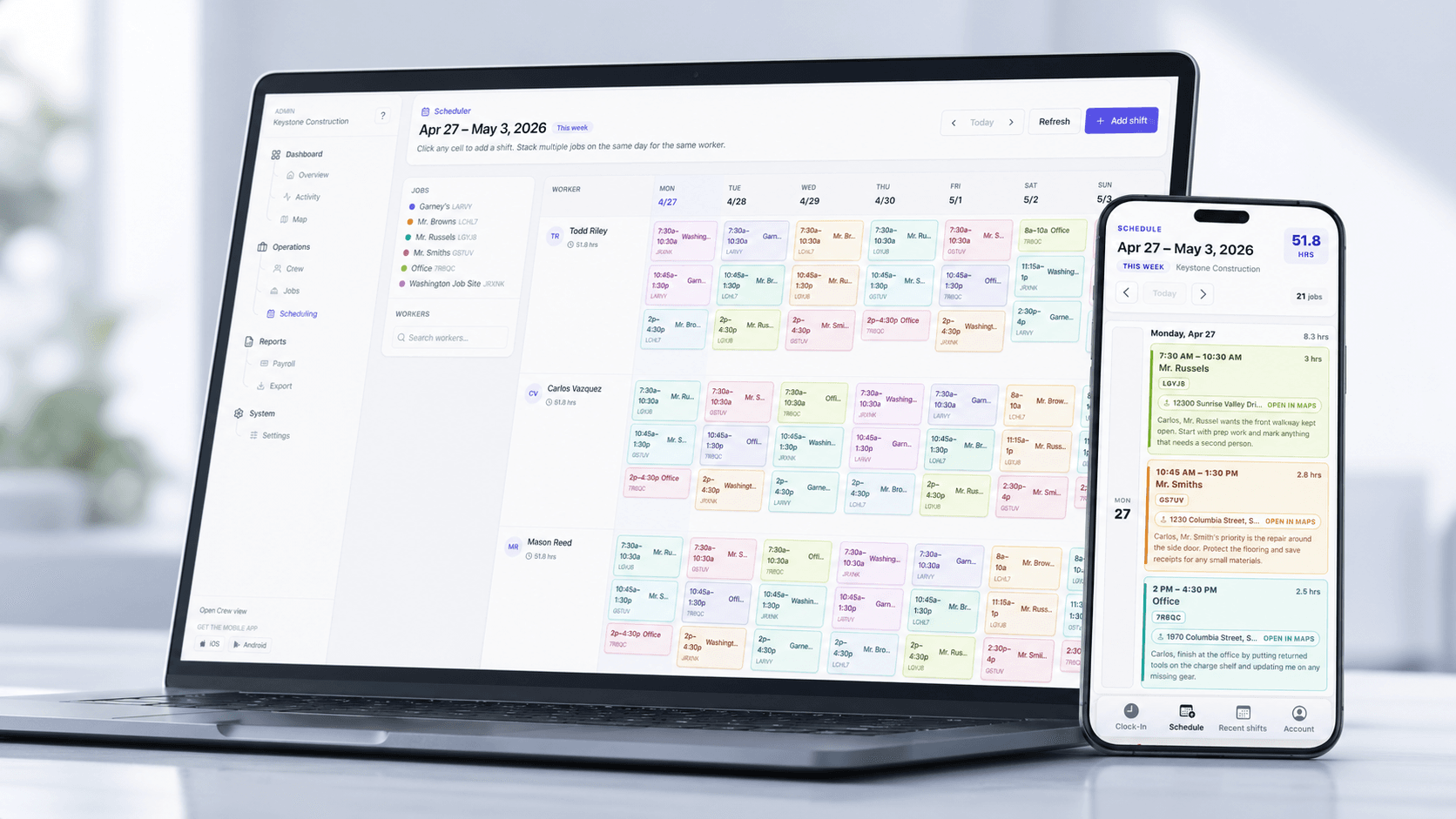
Crew SchedulingPlan crews, jobs, and shifts without juggling spreadsheets.
Build the week's schedule in minutes, send assignments to crews, and keep field changes synced with the time records payroll uses.
Feature hub
Find the fastest control to deploy first, then expand with adjacent workflows. Frame pages around decision speed, implementation fit, and proof links to detail routes.
Built for contractors who need field records they can trust before payroll closes. Reduce payroll overpayment, strengthen compliance confidence, and cut weekly payroll admin time.
crew scheduling software
Crew SchedulingPlan crews, jobs, and shifts without juggling spreadsheets.
Build the week's schedule in minutes, send assignments to crews, and keep field changes synced with the time records payroll uses.
geofencing time tracking
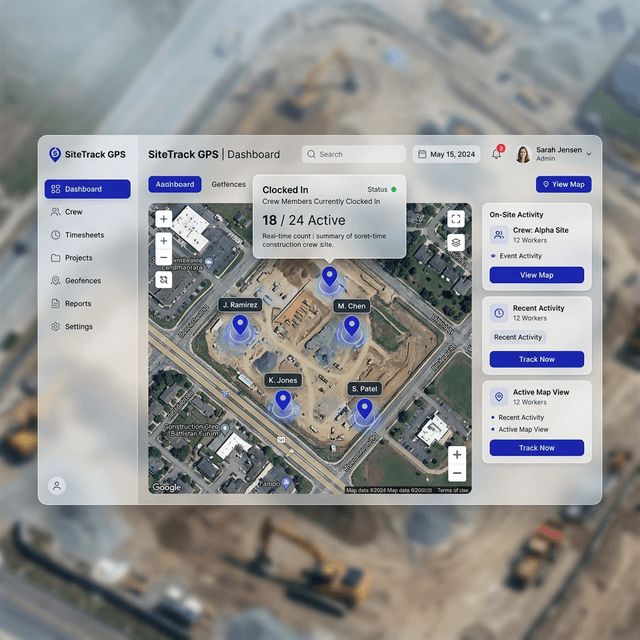
Geofencing Time ClockSet clock-in boundaries that match how jobs are actually staffed.
Use custom geofence zones so crews can only clock in when they are physically inside the right work area.
gps time clock
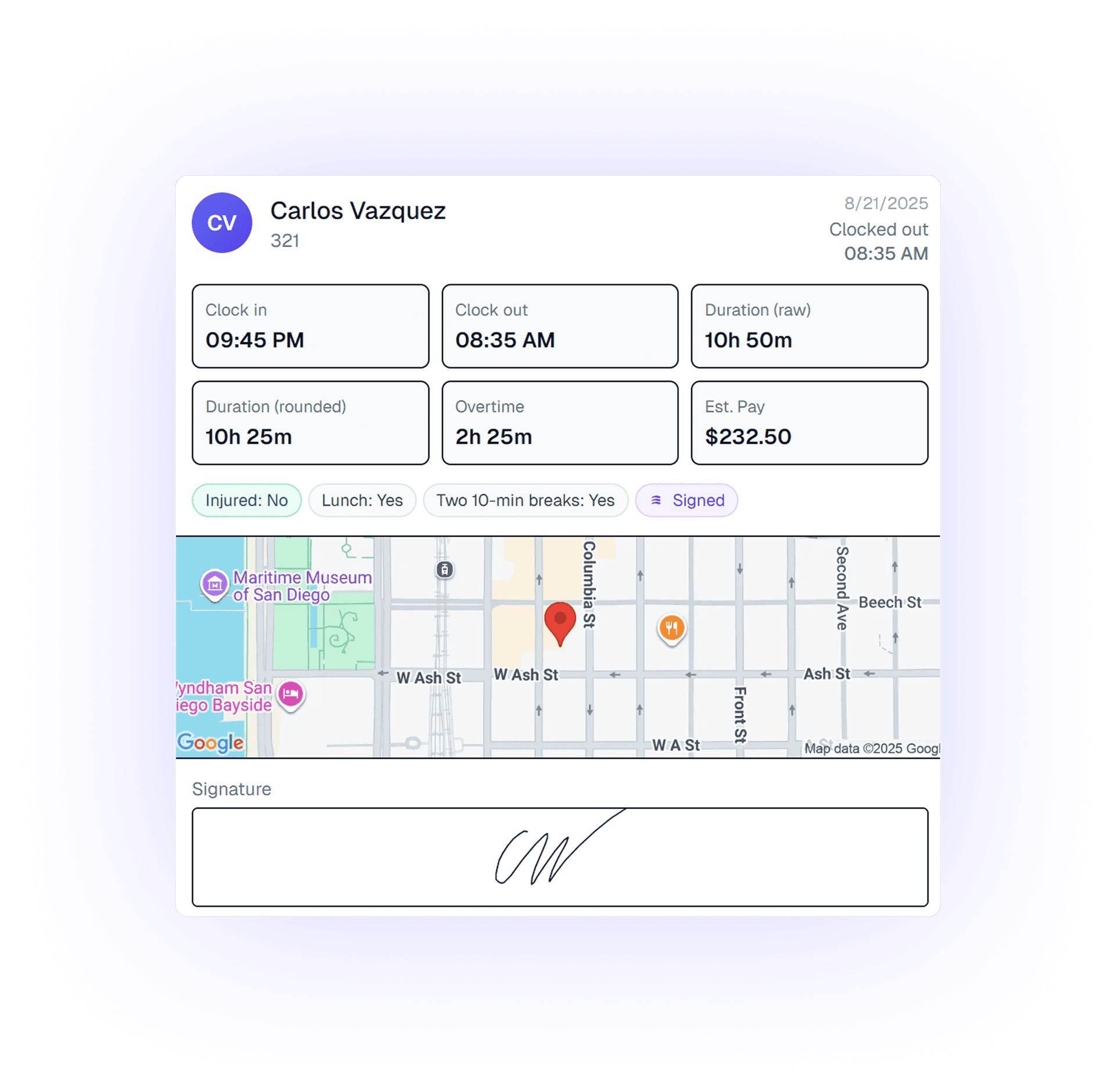
GPS Time TrackingTie every clock event to the actual job site in real time.
Give supervisors a GPS-verified record of where crews clocked in and out so payroll starts from field proof, not memory.
construction job costing
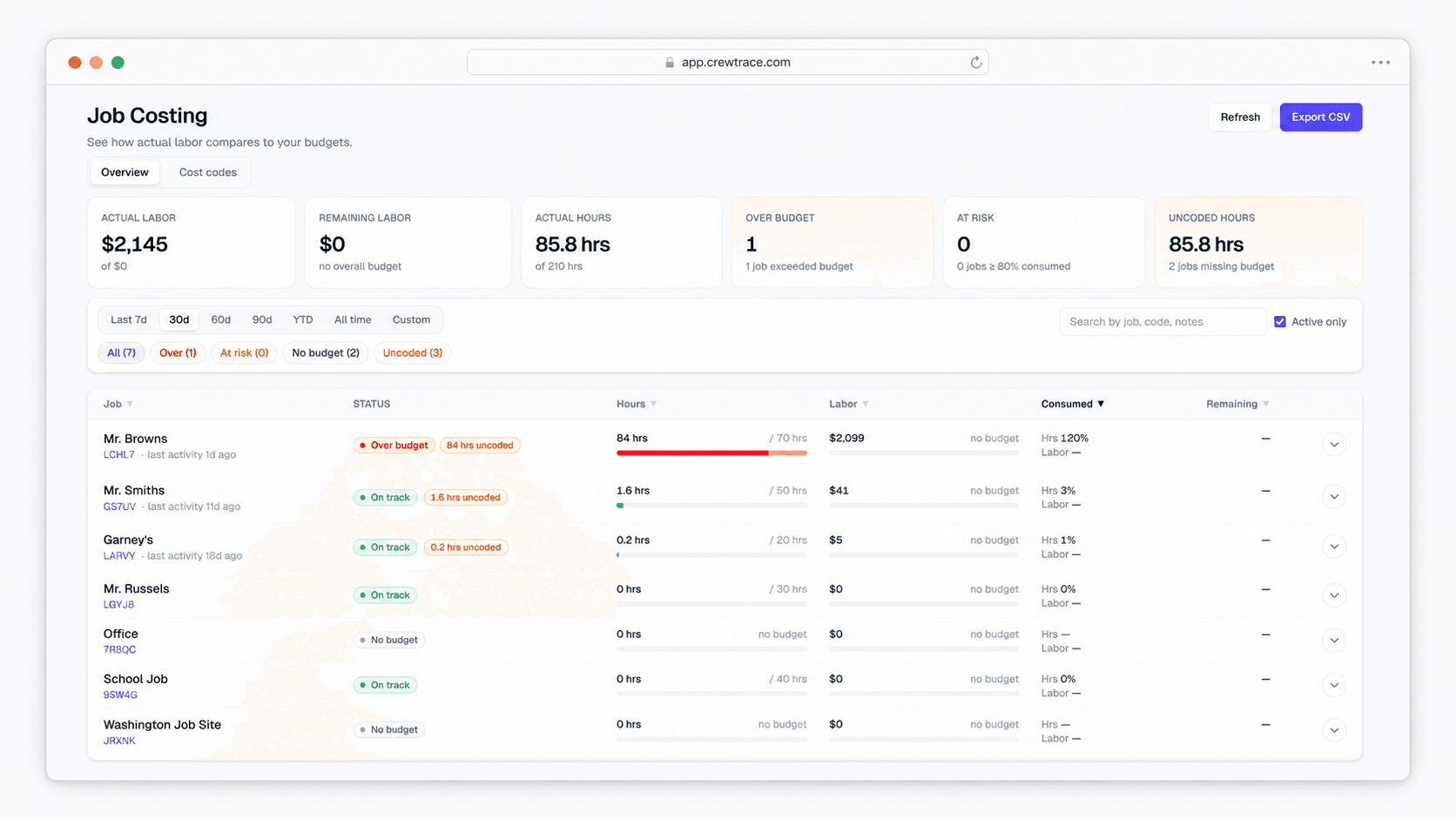
Job CostingBudget-vs-actual labor by job and work type — calculated from the clock, not keyed in after payroll.
Give admins a live view of labor spend against budget by job and cost code, with hours and dollars calculated automatically from existing shift segments.
quickbooks payroll sync
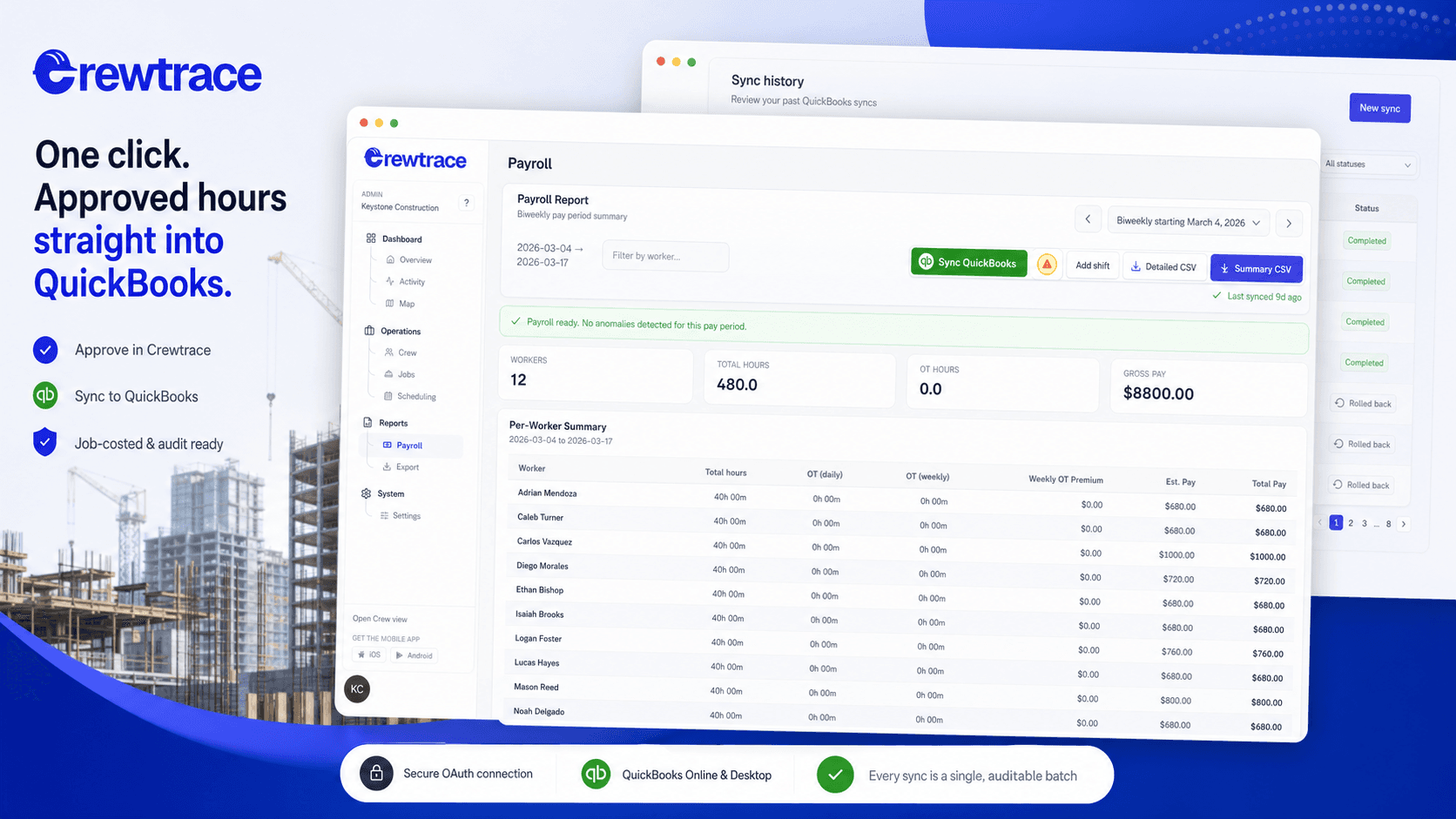
One-Click Payroll Sync to QuickBooksPush approved hours into QuickBooks in a single click — no CSVs, no re-keying.
Send approved Crewtrace timesheets straight into QuickBooks Online or Desktop with mapped employees, jobs, and pay items so payroll runs in minutes.
How They Connect
These features are not isolated tools. They compose into a single field-to-payroll pipeline where each workflow feeds the next. Start anywhere. Expand when ready.
Which Feature First?
You do not need all three features on day one. Start with the one that addresses your biggest payroll risk right now.
Crews are clocking in from the parking lot, staying on the clock during drive time, and inflating hours by 10–15 minutes a day. Over 20 workers, that compounds to thousands per month.
Start with GPS Time Tracking
Workers are punching in before reaching the job site or from unauthorized areas, creating payroll disputes and inaccurate project cost tracking.
Start with Geofencing Time Clock
Your weekly schedule is built in Excel but never reaches the right crews. Job changes happen in group chats and the field never gets the update.
Start with Crew Scheduling
You set hours and dollars per job in a spreadsheet, but actual labor only shows up after timesheets close — when it is too late to reassign crews or catch uncoded time.
Start with Job CostingQuick Numbers
3
Integrated workflows
8
Industry paths
3
Step rollout
2 wk
Avg time to ROI
Related Resources
Step-by-step playbooks for rolling out each workflow without disrupting active crews.
Real outcomes from contractors who replaced manual processes with verified field records.
Answers to common questions about feature selection, rollout, and how the workflows compose together.
Start with the workflow that addresses your biggest payroll risk today. If crews are clocking in from unverified locations, deploy GPS Time Tracking first. If you are spending most of Thursday chasing timesheets, start with Payroll Exports. The features are designed to work independently, so you do not need all six running on day one.
No. Each feature workflow operates independently. Most teams start with one or two — typically GPS Time Tracking and Payroll Leakage Prevention — and add adjacent workflows as their process matures. The ecosystem links on each feature page show which workflows compose naturally together.
Most single-feature deployments take one to two weeks from configuration to active use. GPS Time Tracking and Geofencing are the fastest because they require minimal back-office setup. Payroll Exports may take slightly longer if your payroll processor requires a specific file format.
GPS Time Tracking records the crew member's location at the moment of clock-in and clock-out. Geofencing adds an enforcement layer — it creates a virtual boundary around the job site and restricts clock-ins to workers who are physically inside that boundary. Think of GPS as the evidence and geofencing as the rule.
Yes. Each feature was built for contractors running multiple crews across multiple active sites. Geofence zones, overtime thresholds, and export templates can all be configured per project or per crew.