Pay for hours worked.
Not hours guessed.
Tie every clock in and out to the real job site. Stop paying for parking-lot hours, windshield time, and "I'm pretty sure I was there."
Why GPS alone isn't enough
The 15-minute leak you never see.
GPS coordinate collection is easy. Turning coordinates into a clean payroll record is where the wheels fall off. Most GPS time clocks only capture stamps; we capture truth.
The parking-lot clock-in
Workers punch in from the cab on the drive over. The timesheet says 7:00 but the crew didn't touch the job site until 7:45.
7:00 AM — Requested Clock-In
Location: Mobile Cab (3.2 mi from job site)
7:45 AM — Actual Site Arrival
Location: Oak Ridge Project (Inside Geofence)
"I was there, I swear"
A supervisor flags a short day. The worker insists the hours are right. With no location record, the argument wins over the truth.
Payroll built on memory
Paper logs get transcribed, errors get guessed at, and by Thursday nobody remembers which site crew #3 actually worked Tuesday.
7:00 AM — Requested Clock-In
Location: Mobile Cab (3.2 mi from job site)
7:45 AM — Actual Site Arrival
Location: Oak Ridge Project (Inside Geofence)
Inside Crewtrace GPS Time Tracking
Location proof, built into every clock event.
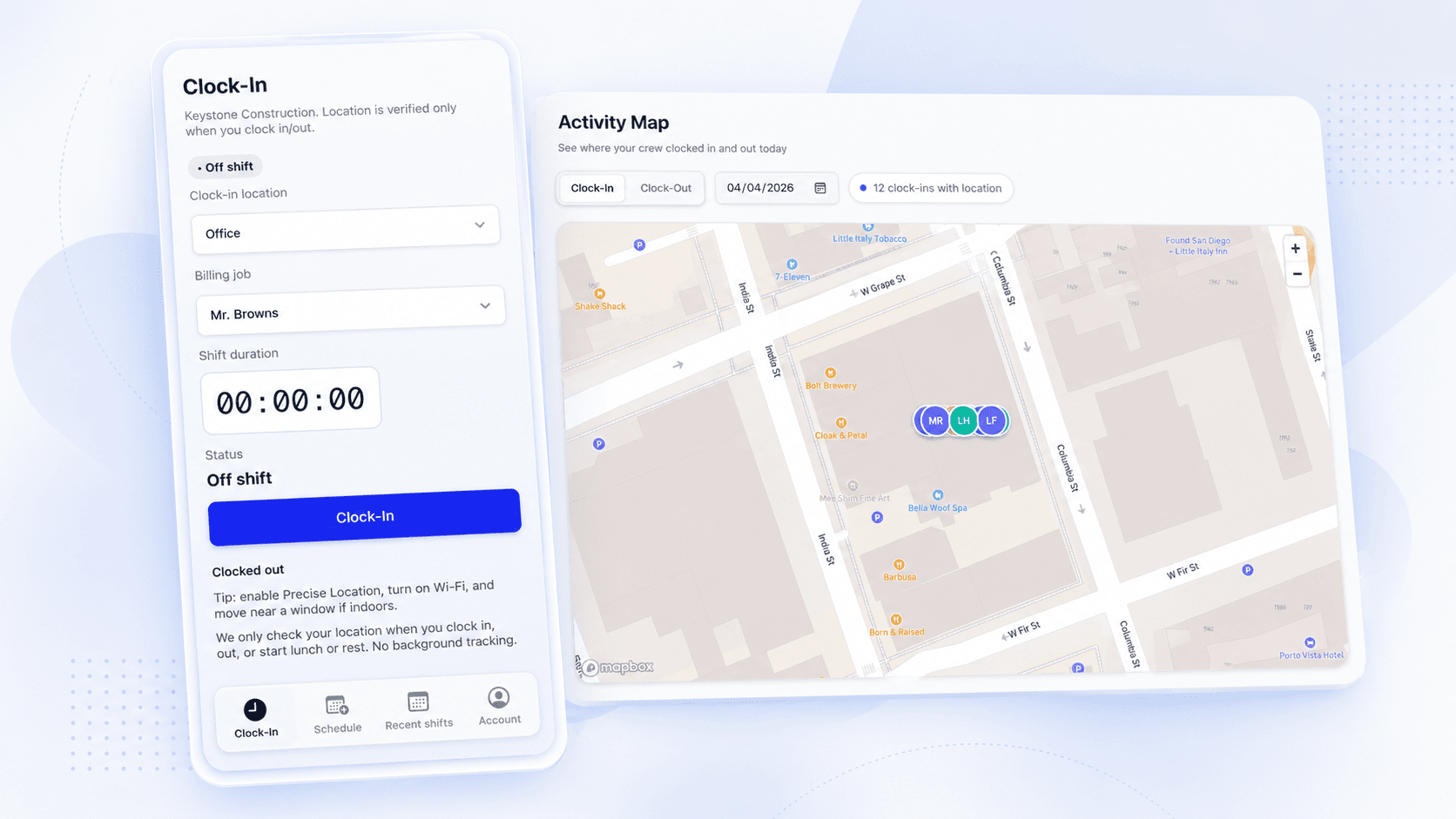
Geofence verification · 01
Every clock event tied to a real job site.
Draw a geofence around each job. When a worker taps clock in, Crewtrace checks their GPS against that boundary and stamps the event with a location and a confidence score. No boundary match, no silent pass-through.
- Custom geofence per project or address
- Pass / fail / review status on every clock event
- Location confidence score stored with each record
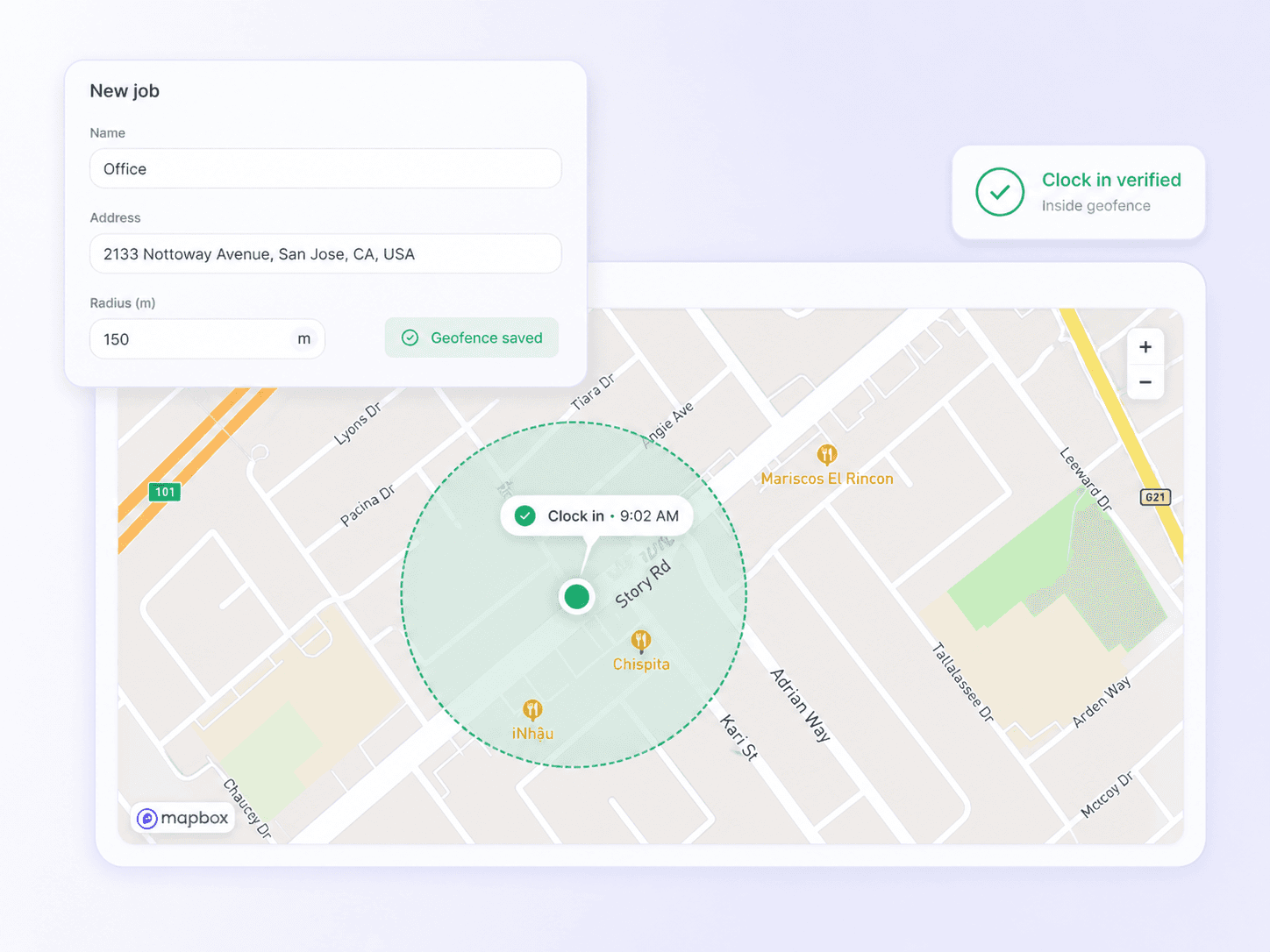
Mobile clock in / out · 02
One tap. One timestamp. One verified location.
Crews clock in and out from the same phone they already carry. Location is captured at the exact moment of the tap — not before, not as background tracking — so you get proof without killing a battery or a privacy conversation.
- Works on iOS and Android, online or offline
- Event-only location — no continuous tracking
- Photo and job-selection prompts at clock-in
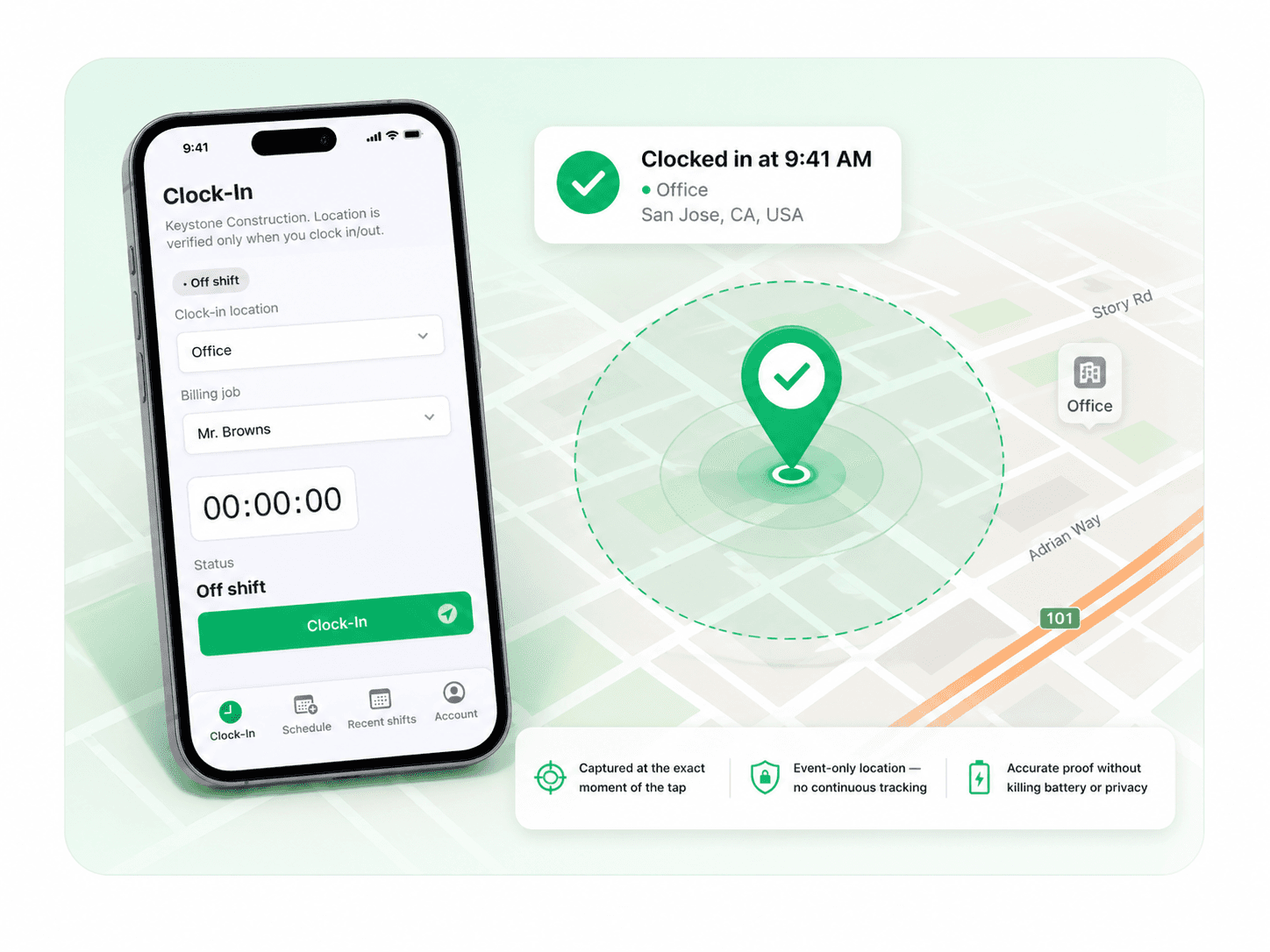
Live attendance · 03
See the whole field, right now.
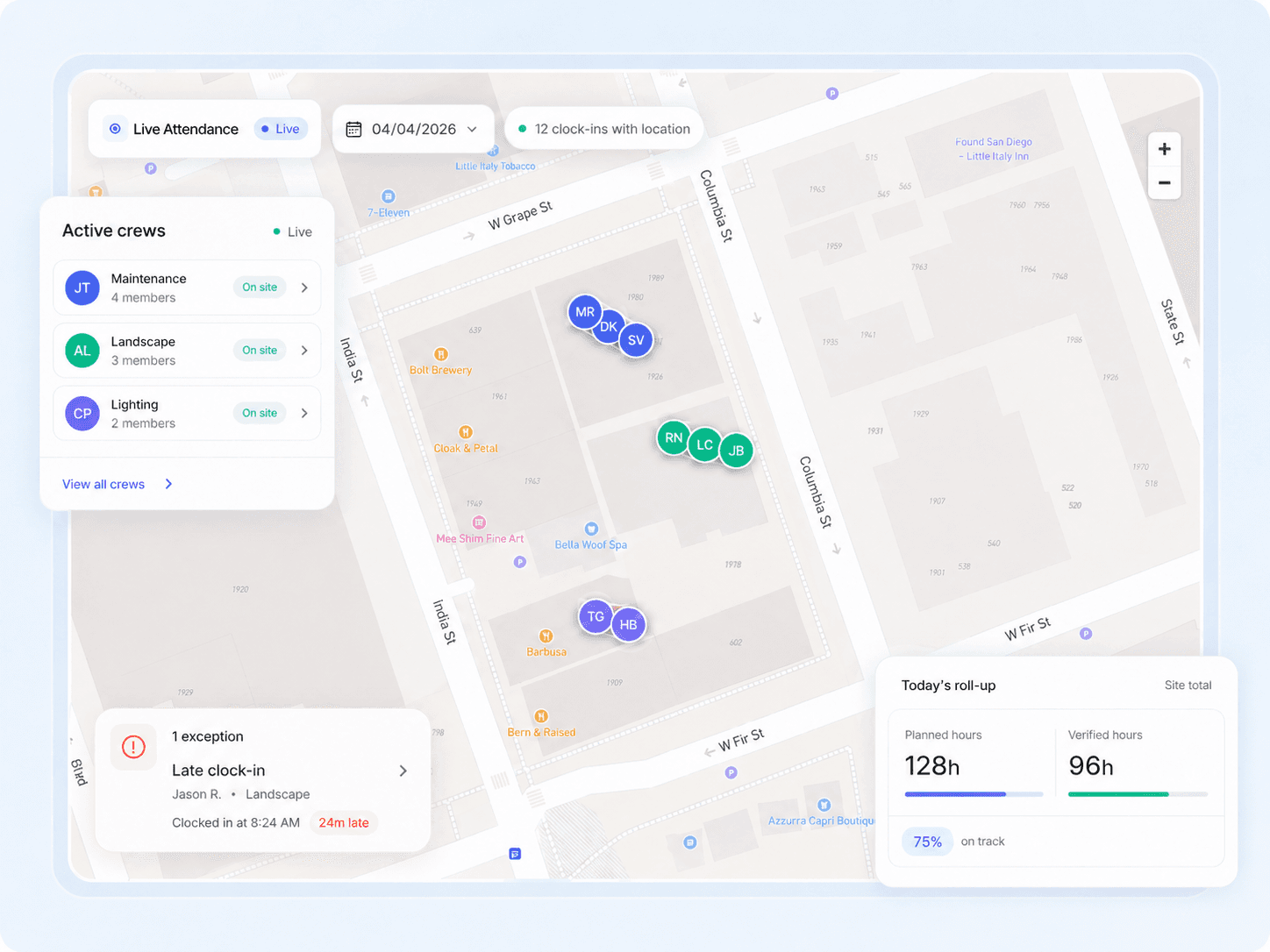
Supervisors open Crewtrace and see every active crew on a map — who's on site, who's off, who clocked in from the wrong address. Catch issues during the day instead of untangling them on payroll day.
- Live site-by-site attendance map
- Exception flags for off-site or late clock-ins
- Daily roll-up of planned vs. verified hours
Defensible records · 04
A time record your payroll team can actually defend.
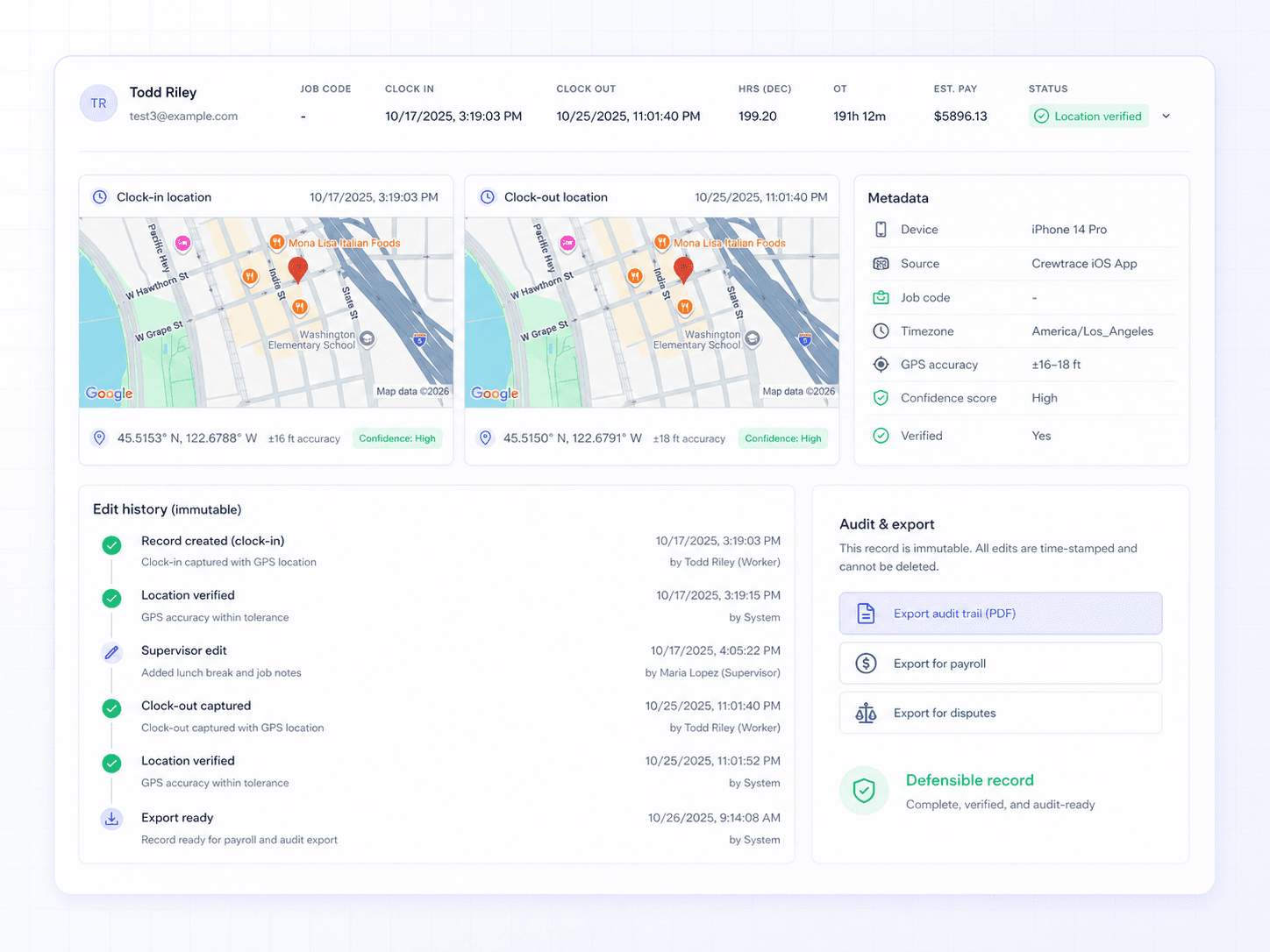
Every clock event keeps its GPS coordinates, confidence score, device, and edit history. When a dispute or a DOL question comes up, you pull one record — not a stack of paper and a hope.
- Immutable clock-event history with edit trail
- GPS coordinate + accuracy stamped to each event
- One-click export for payroll, disputes, and audits
What's in the box
Six GPS capabilities contractors actually use.
Precise geofencing
10–30 ft boundary accuracy with a confidence score on every clock event.
Event-only location
Captured at clock in / out only — no background tracking, no battery drain.
Offline resilience
Clock events save on the device and sync when signal returns with a reduced-confidence flag.
Exception flagging
Off-site, late, or no-GPS events surface for supervisor review automatically.
Live attendance map
A single view of who's on site, who's off, and where the variance is right now.
Audit-ready records
GPS coordinates, device ID, edits, and approvals stored on every record.
From boundary to payroll
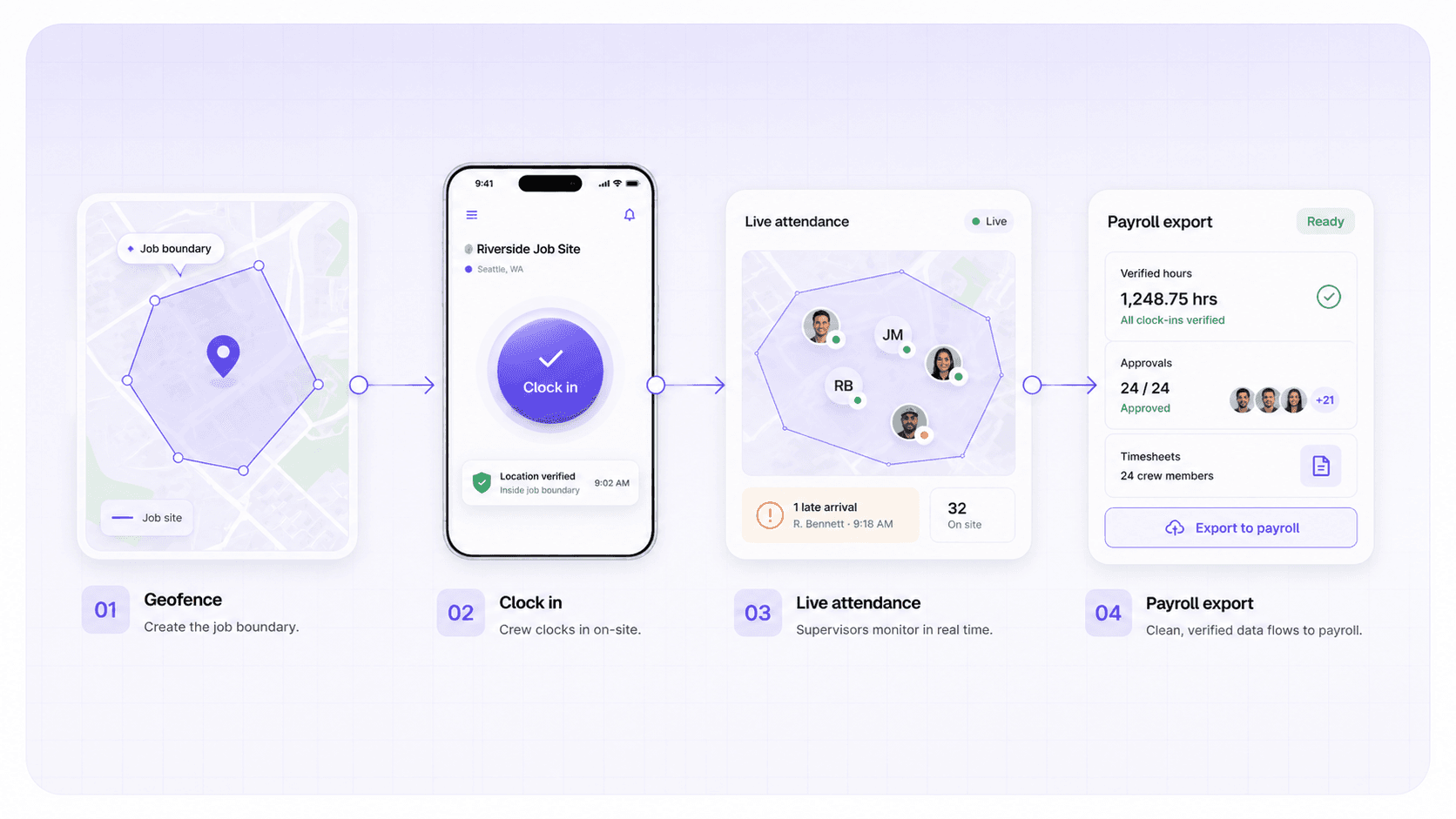
Four steps from geofence to clean payroll.
GPS isn't a gimmick in Crewtrace. It's the first link in the record chain that ends with a payroll export you can defend.
Draw the geofence
Drop the boundary around each site. Save it as a template for repeat jobs.
Crew clocks in
Worker taps clock in from the jobsite. GPS verifies they're inside the boundary.
Supervisors watch live
Live attendance map flags off-site or late clock-ins while the day is still fixable.
Payroll closes clean
Verified hours flow into approvals and exports with the full location trail attached.
Built for the field, not surveillance
GPS that your crew will actually agree to use.
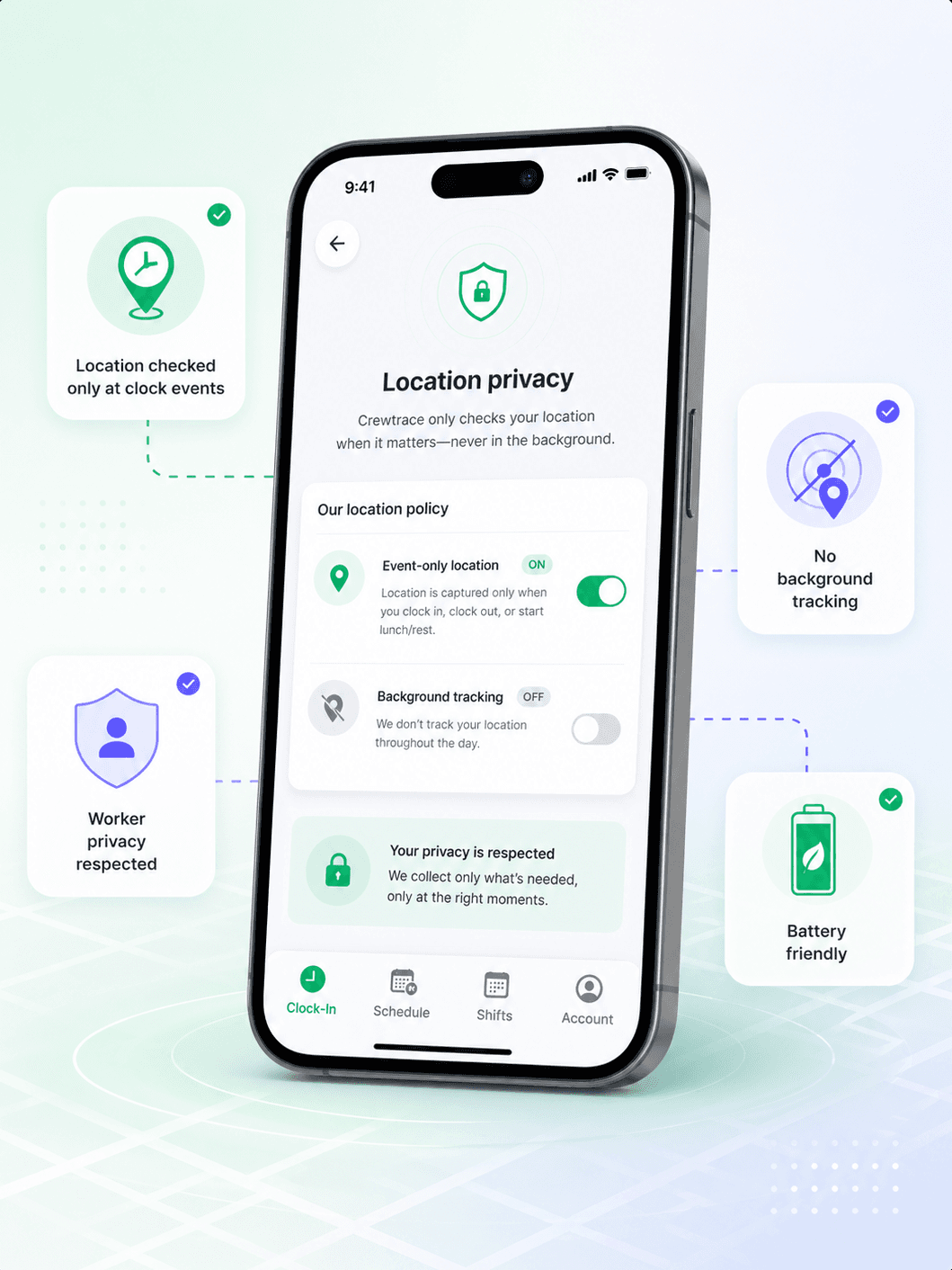
Crewtrace only captures location at the moment of a clock event — not all day, not in the background. Crews keep their privacy. Supervisors get the proof they need. Everybody wins the argument before it starts.
- Event-only location
- No always-on tracking
- No measurable battery drain
- Clear worker-facing policy
Paper time sheets vs. Crewtrace
Same hours.
Very different record.
Week one
Paper time sheets
Week two
Running on Crewtrace
Where the clock-in happened
Whatever the worker wrote down
Where the clock-in happened
GPS coordinate + confidence score
Off-site clock-ins
Invisible until someone complains
Off-site clock-ins
Flagged automatically for review
Disputes over arrival time
Your word vs. theirs
Disputes over arrival time
Full event record with location
Audit or DOL request
Hunt through binders
Audit or DOL request
One-click export with full trail
Battery / privacy impact
N/A
Battery / privacy impact
Location only at clock-in / out
~4 hrs/week reconciling disputes and hunting records
One record. GPS proof from clock-in to payroll.
Built for the trades
GPS time tracking that fits how your trade actually runs.
Early-morning starts across rotating residential sites
Prove arrival times at each address without calling supervisors to confirm.
See roofing workflowService techs hitting 6–10 stops a day
Tie every clock event to an address so billing and payroll agree.
See plumbing workflowMulti-stop crew routes with seasonal workers
Verify time per property without training crews on new software.
See landscaping workflowDispatchers pushing calls mid-day
See when techs actually arrive vs. when dispatch assumed they did.
See hvac workflowMulti-site weeks with shifting crews and subs
Keep a per-site labor record even when crews move between jobs.
See construction workflowEmployees and subs working the same project
One verified time record per worker, per site, per day.
See general contractors workflowWhat changes on day one
Location proof where there used to be none.
10–30 ft
Typical geofence accuracy on active sites
0
Continuous background tracking events
100%
Clock events stamped with location metadata
1
Record chain from clock-in to payroll
GPS time clock questions, answered
Answers to common questions about gps time clock, accuracy, privacy, and how GPS time tracking connects to payroll.
Crewtrace uses phone-level GPS to confirm a worker is within the designated job-site boundary at clock-in and clock-out. Accuracy typically falls within 10–30 feet depending on the device and environment. On open commercial sites, it is tighter; dense urban or indoor areas may see wider variance, which is why Crewtrace also logs a location confidence score with every event.
Not if the geofence is drawn correctly. The boundary defines the valid clock-in zone, so a worker sitting in the parking lot across the street will not pass verification. Supervisors also see the exact GPS coordinate of each event, so any edge cases are easy to spot during review.
The app records the clock event locally on the device and syncs it when signal returns. The record will include a flag indicating reduced GPS confidence so supervisors can review it separately. This keeps the workflow moving even on rural or underground sites.
Crewtrace only activates location services at clock-in and clock-out events — it does not run continuous background tracking. Most crews report no noticeable battery difference compared to a normal workday.
A regular time clock app records when someone tapped a button. A GPS time clock also records where that tap happened and whether the location matches the assigned job site. That location proof is what gives supervisors and payroll teams confidence that the hours are real.