
NewOne Click Sync to Quickbooks

Crew tracking software that verifies every job-site hour.

Crews clock in at the job site, hours sync to payroll, and you stop losing money to time theft.

No sales call required. Get a tailored walkthrough and quote in one business day.

Payroll Risk Control

GPS Time Tracking and Payroll Controls for Construction

Replace paper timesheets and guesswork with GPS-verified employee time tracking your team can trust every week.

GPS Verified

Verified Clock-ins

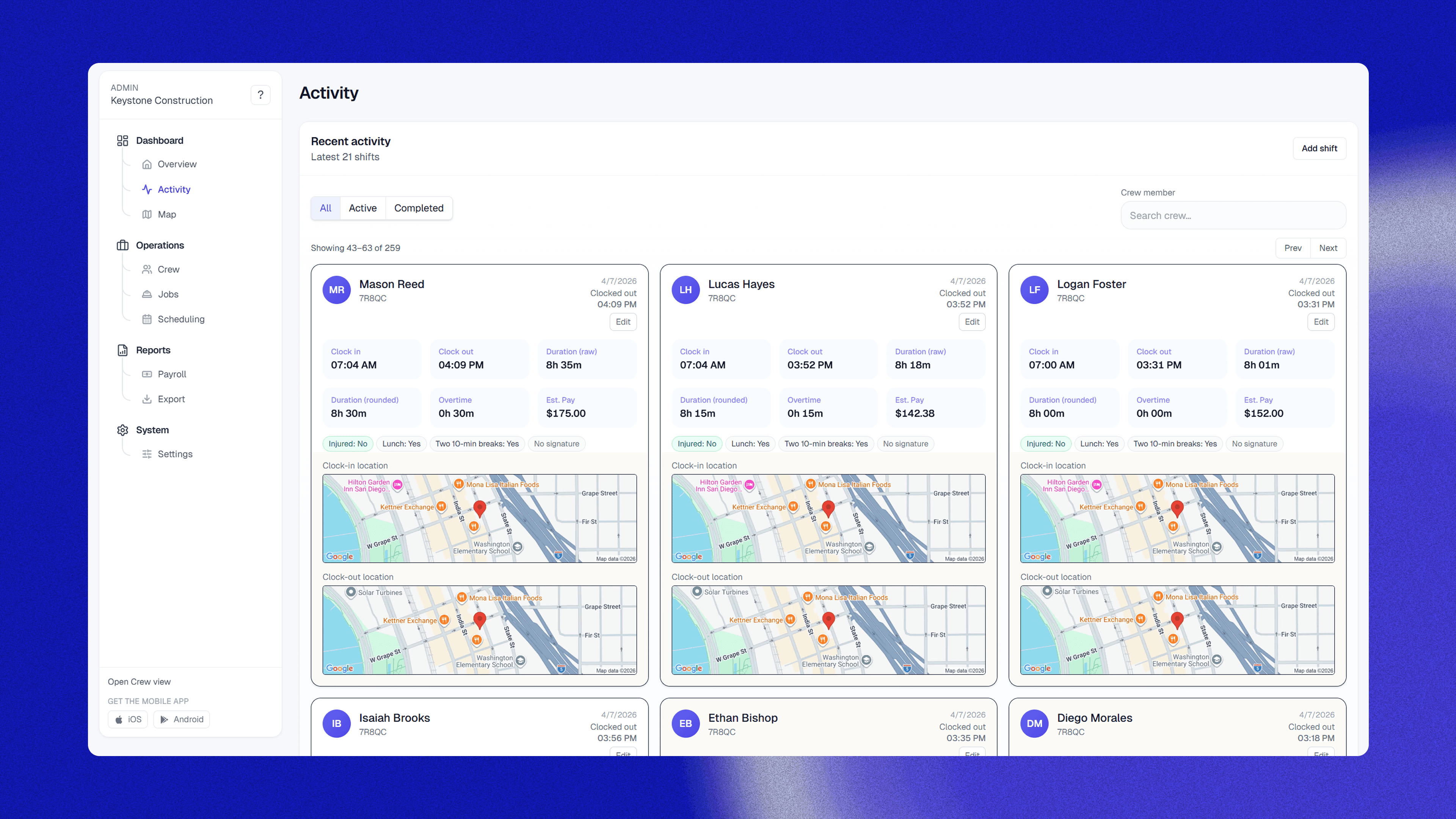
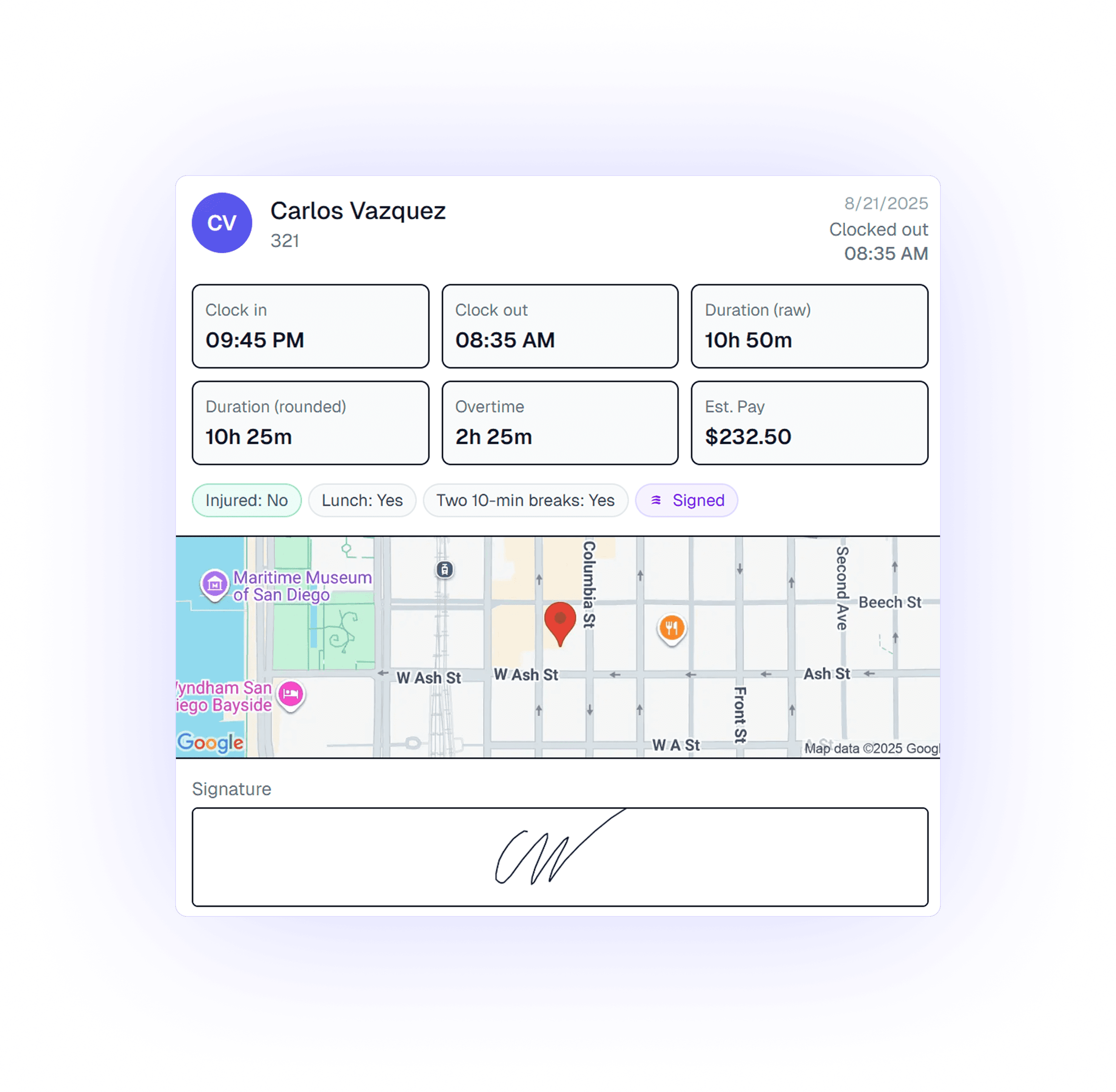
GPS confirmation shows exactly when and where each crew starts work, so approvals are based on evidence.

GPS geofence verification showing worker location on job site
Flagged for Review

Anomaly Alerts

Get notified when Crewtrace detects suspicious punch patterns, so admin can review issues before payroll errors compound.

Early punch-in outside geofenceNeeds review
Unusually long break durationInvestigate
Duplicate punch sequenceCheck record
Real-time

Live Labor Budgeting

Watch labor dollars accumulate in real time and catch budget drift before payroll closes.

Mon
Tue
Wed
Thu
Fri
Sat

Flexible CSV Exports

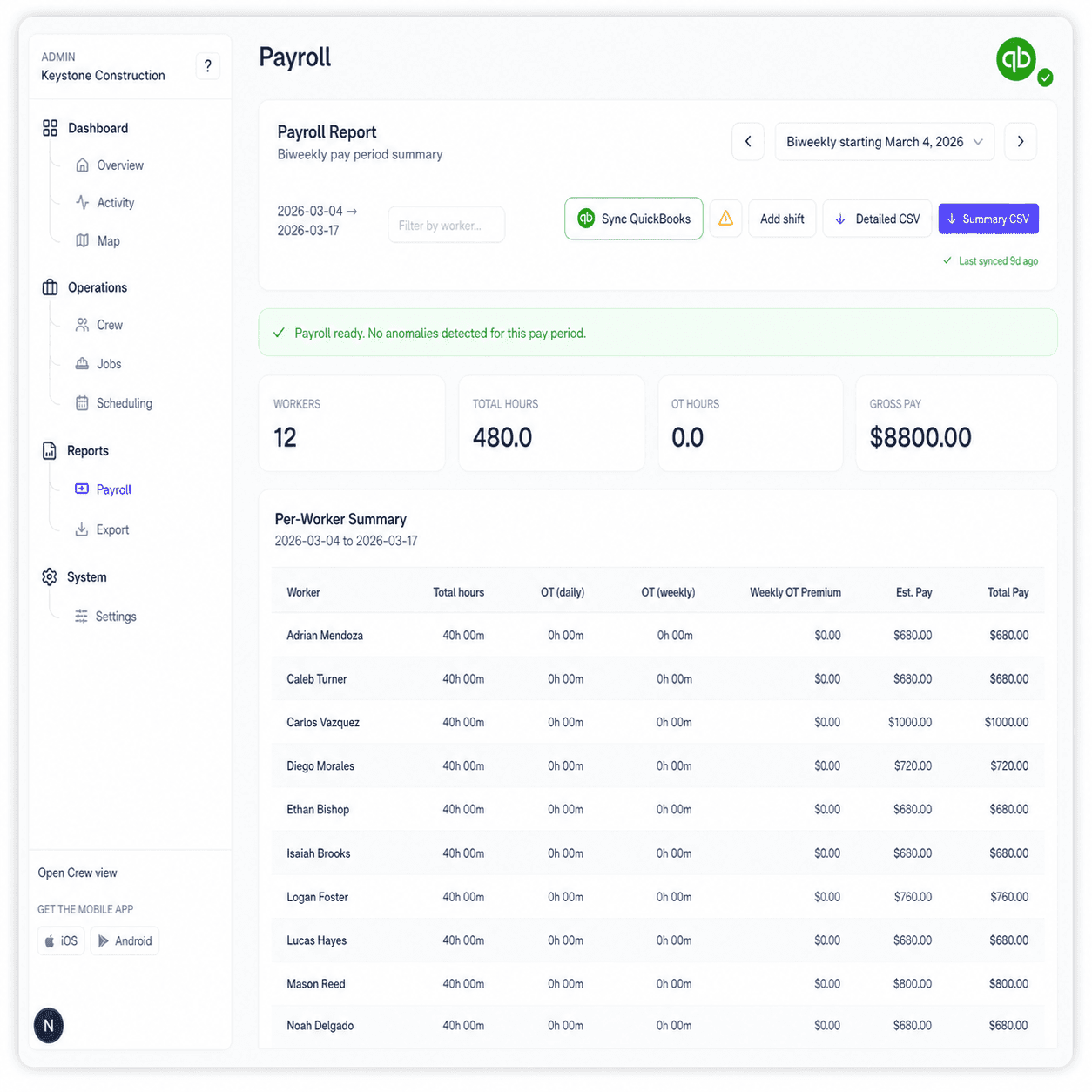
Export payroll-ready files in the format your payroll stack expects without manual reformatting.

Standard CSV
ADP
QuickBooks

Instant Payroll Reports

When the shift ends, your report is ready with hours, costs, and crew context already compiled.

Report Ready
Case Study: S&W Waterproofing

Recovered $2,100 in the first 30 days.

“We moved off paper logs, found recurring overpayment fast, and cut payroll review time down to minutes.”

How the savings were achieved

  • Configured geofenced clock-in zones across active projects.
  • Added supervisor alerts for early punch-ins and long breaks.
  • Standardized payroll exports for faster end-of-week approvals.
Read the full S&W case study
2 Weeks
Time to ROI
Calculate Your ROI

Sundays Back

Stop spending weekends reconciling timesheets and payroll corrections.

Friday
5:00 PM
Weekend

Customer proof

Real results from the field.

“We moved from paper logs to Crewtrace and immediately found hours we were overpaying each week. Payroll now takes minutes instead of most of Thursday.”

Jason Law, Owner of S&W Waterproofing

Jason Law

Owner, S&W Waterproofing

S&W Waterproofing Logo

The Impact

$2,100/mo

Capital Recovered

2 weeks

Time to ROI

100%

Verified Timesheets
Autonomous Workflow

Job site to payroll in four easy steps.

Clock In
1

Clock In

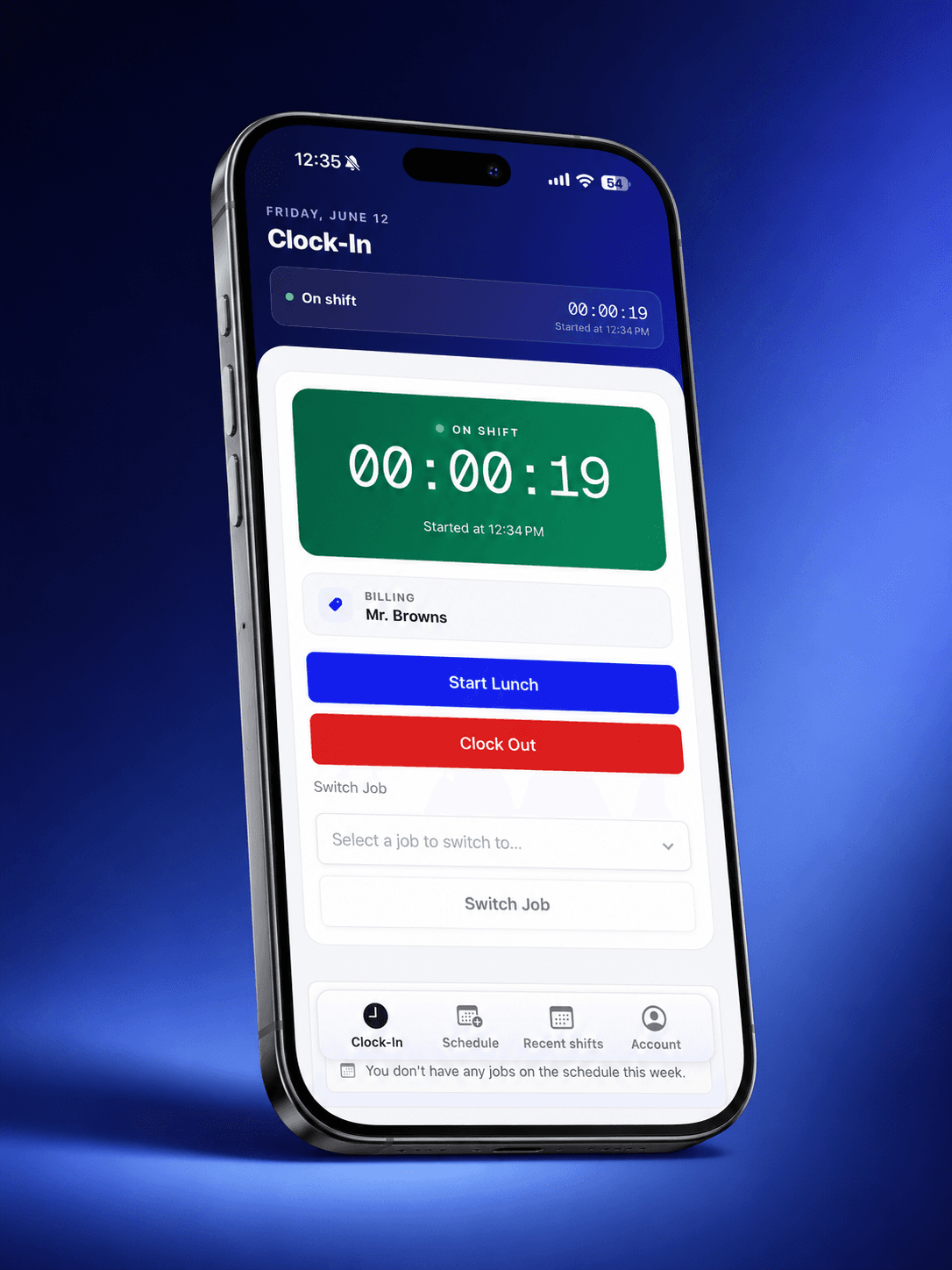
Crew logs time via the mobile app with a single tap.

GPS Verification
2

GPS Verification

Location is instantly verified against site geofences.

Compliance Check
3

Compliance Check

Breaks, overtime, and buddy punching are audited automatically.

Export to Payroll
4

Export to Payroll

Verified timesheets sync to your payroll software in one click.

Compliance & Audit Protection

DOL Compliance for Construction Timekeeping.

One contractor faced a $50k fine because their records were “word of mouth.”With Crewtrace, they achieved 100% compliance overnight.

Paper Chaos

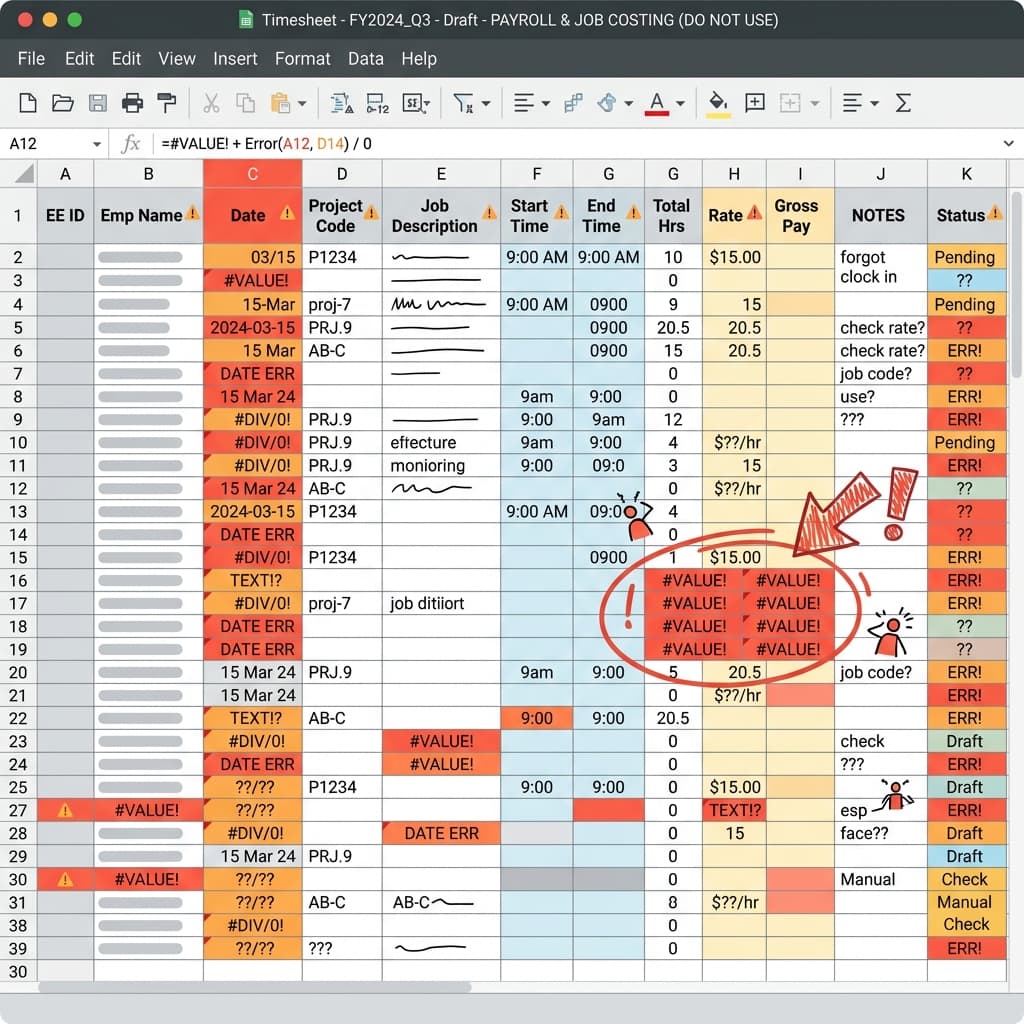
Paper time cards are easily lost, impossible to verify, and a red flag for DOL investigators.

100% Digital Proof

Geofenced clock-ins and real-time logs create an airtight defense. No more guessing, no more fines.

“When the auditor saw our reports, the conversation changed instantly. We were done in 15 minutes.”

Absolute Certainty

Stop relying on the honor system. Know exactly when your crew starts and ends, with proof.

Savings Estimator

Stop leaking profit from your field operations.

Most crews lose 3–5% of payroll to manual time errors and admin overhead. See what that costs you.

12workers
$25/hr
5hrs
Estimated Annual Leakage
$37,746
That's ~$3,145 per month in preventable losses.
Support & Help

Construction Time Tracking FAQ

Everything you need to know about modernizing crew tracking for U.S. businesses running multiple crews.

Workers download the Crewtrace app on their phone and clock in with a single tap when they arrive at the job site. The app records their GPS location and verifies they are within the designated work zone. When they clock out, the same verification happens. All hours are automatically calculated and ready for payroll export.
Yes. Crewtrace is built for crew tracking on job sites: clock-ins are tied to verified locations so you can see when crews arrived, how long they stayed on site, and where time exceptions occurred. GPS is used to validate clock events—not to track people continuously when they are off the clock.
Geofencing creates a virtual boundary around your job site. Workers can only clock in when their phone's GPS confirms they are physically within that boundary. This eliminates buddy punching, early clock-ins from the parking lot, and inflated hours — the most common forms of construction time theft.
Yes. We keep it simple for field crews. They install the iOS or Android app once, sign in, and clock in with a single tap.
The clock-in records locally on the phone and syncs automatically when signal returns. This is designed for active construction sites, not ideal network conditions.
Paper timesheets cost the average contractor $20,000-40,000 per year in time theft, payroll errors, and admin time. Crewtrace replaces that with GPS-verified digital records that are accurate, audit-ready, and export directly to your payroll software. Most contractors see ROI within the first two weeks.
Before quoting anything, we run a free audit call to confirm we can save money. For qualified teams, pricing is a one-time setup fee plus a monthly fee. The average contractor saves $1,200+ per month, so the software pays for itself many times over.
The process is structured to reduce payroll leakage quickly. If the expected value is not there, we recommend not switching.
No. Crewtrace handles roster setup, job-site configuration, and onboarding support so teams can start without heavy admin overhead.
You get notified and can adjust or flag for review. GPS verification removes most disputes over when someone actually arrived.
Flat rateNo per-seat fees.

Transparent pricing, no surprises.

Starter

Fewer than 20 employees

$99/mo

Billed monthly after your trial ends.

Included

  • GPS time tracking & geofenced job sites
  • Anomaly alerts for flagged punches
  • Scheduling tool
  • One-click payroll sync to QuickBooks
  • Payroll reports & CSV exports
  • Crew mobile apps (iOS & Android); offline punch sync when online again
Not included: Support for more than 20 employees
Start free trial

Growth

20–49 employees

$150/mo

Billed monthly after your trial ends.

Included

  • GPS time tracking & geofenced job sites
  • Anomaly alerts for flagged punches
  • Scheduling tool
  • One-click payroll sync to QuickBooks
  • Payroll reports & CSV exports
  • Crew mobile apps (iOS & Android); offline punch sync when online again
Not included: Support for more than 49 employees
Start free trial

Scale

50 or more employees

$250/mo

Billed monthly after your trial ends.

Included

  • GPS time tracking & geofenced job sites
  • Anomaly alerts for flagged punches
  • Scheduling tool
  • One-click payroll sync to QuickBooks
  • Payroll reports & CSV exports
  • Crew mobile apps (iOS & Android); offline punch sync when online again
Included: Support for more than 50 employees
Start free trial

Most popular

Hands-on setup

Done-for-you onboarding

Hands-on rollout for teams that need migrations, structured site and crew setup, and live training so adoption sticks and payroll week one stays under control.

  • Collaborative onboarding for rollout, migrations, or a tailored workspace setup.
  • Training-focused support so field and office teams get comfortable quickly.

Custom pricing

Let's talk scope. We'll recommend the right mix of services.

Book a call

See how Crewtrace fits your operation.

Answer a few quick questions and we'll send back a tailored demo walkthrough and pricing guidance for U.S. businesses running multiple crews. Reduce payroll overpayment, strengthen compliance confidence, and cut weekly payroll admin time.
Personalized walkthrough
No hard-sell call
Implementation fit check
If Crewtrace is not a fit for your workflow, we tell you directly. If it is a fit, you get a rollout sequence your team can use.
Request Your Custom Demo
Takes about 60 seconds. We respond within one business day with a walkthrough tailored to your crew setup.