State 01Verified
Inside the fence
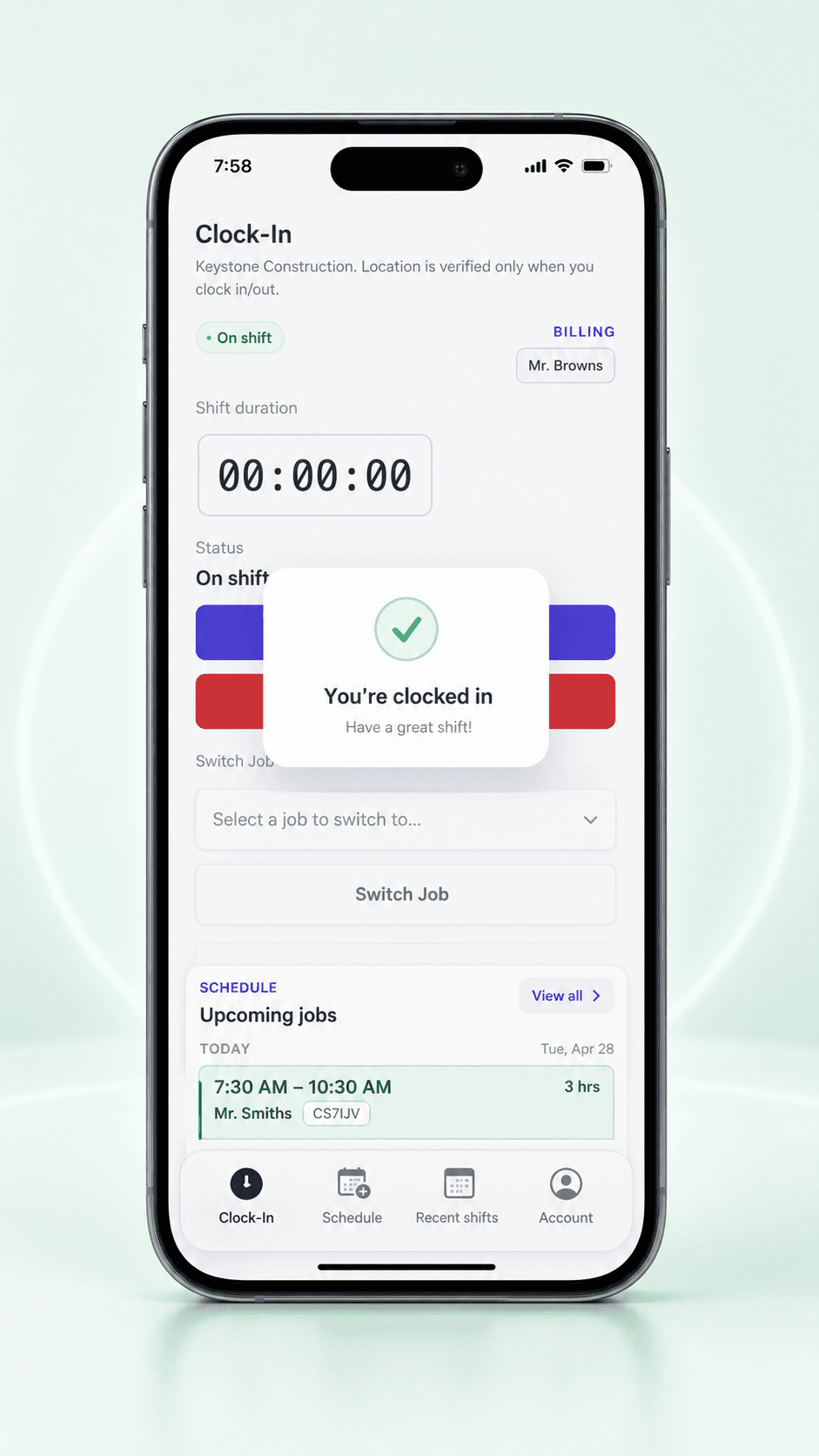
Worker taps clock in inside the boundary. Event is accepted, stamped with GPS coordinates, and flows straight into payroll.
Set a boundary around each project. Crewtrace checks every clock-in against it automatically — so policy stops living in the handbook and starts living on the phone.
Why GPS alone isn't enough
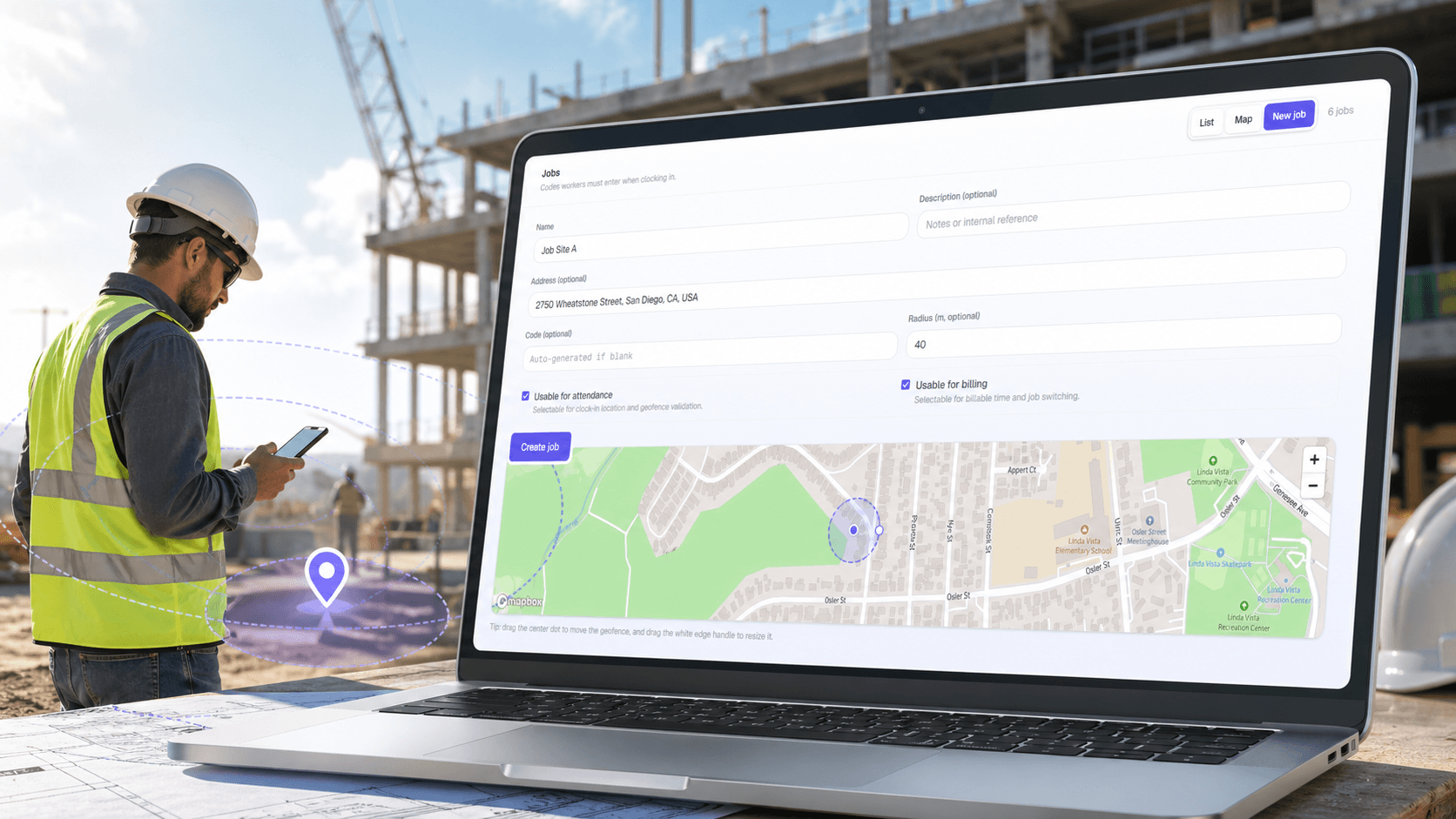
GPS tells you where a punch happened. Geofencing tells the punch whether it's allowed in the first place. Most contractor payroll leaks come from the gap between those two.
A worker clocks in from home, from the gas station, or from the truck on the way. The hours look fine on the sheet — because the sheet has no way to know they were wrong.
"Clock in at the site" is in the handbook. But handbooks don't block a punch. Without a boundary rule, the policy only exists on the day someone decides to argue.
Your 40-acre commercial site and your 1/10-acre residential service call need very different boundaries. A single GPS radius either lets cheats through or blocks honest workers in the parking lot.
Anatomy of a geofence
Every Crewtrace geofence is more than a line on a map. It's a layered rule the clock-in has to pass before it ever reaches your approvals queue.
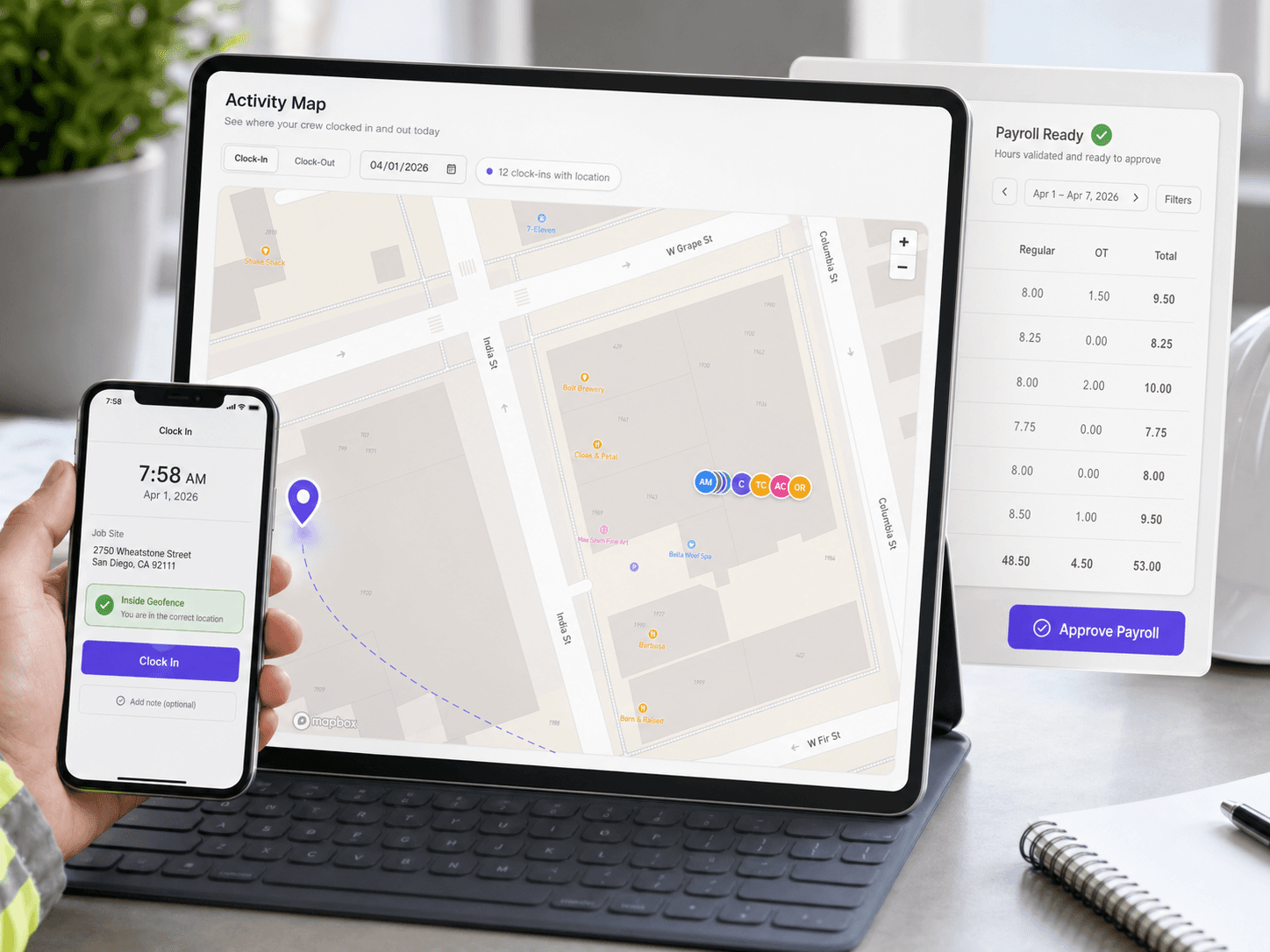
Enter an address to instantly create a boundary, then pull the radius to customize the zone to match the exact job site.
Each crew is tied to a specific job for the day. The check runs against that site's boundary — not whatever fence happens to be closest.
GPS coordinate at the exact moment the worker tapped. Stored with the event, not guessed later.
What happens at the tap
Every punch goes through the same decision. The worker knows instantly, the supervisor knows automatically, and the payroll record knows before Thursday.
Worker taps clock in inside the boundary. Event is accepted, stamped with GPS coordinates, and flows straight into payroll.
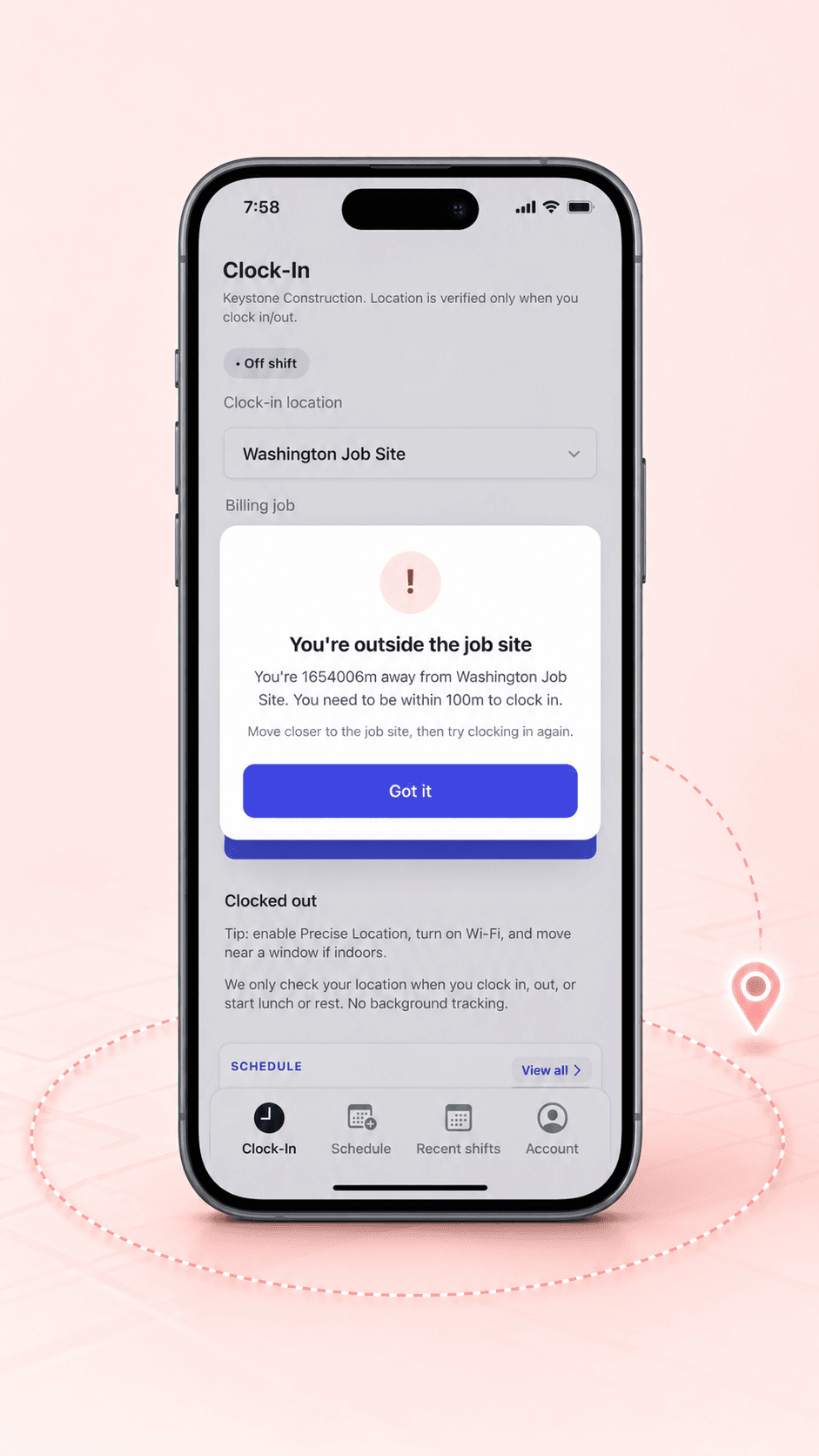
GPS puts the worker outside the approved zone. The punch is blocked or logged as an exception per your policy. No silent pass-through. No mystery hours.
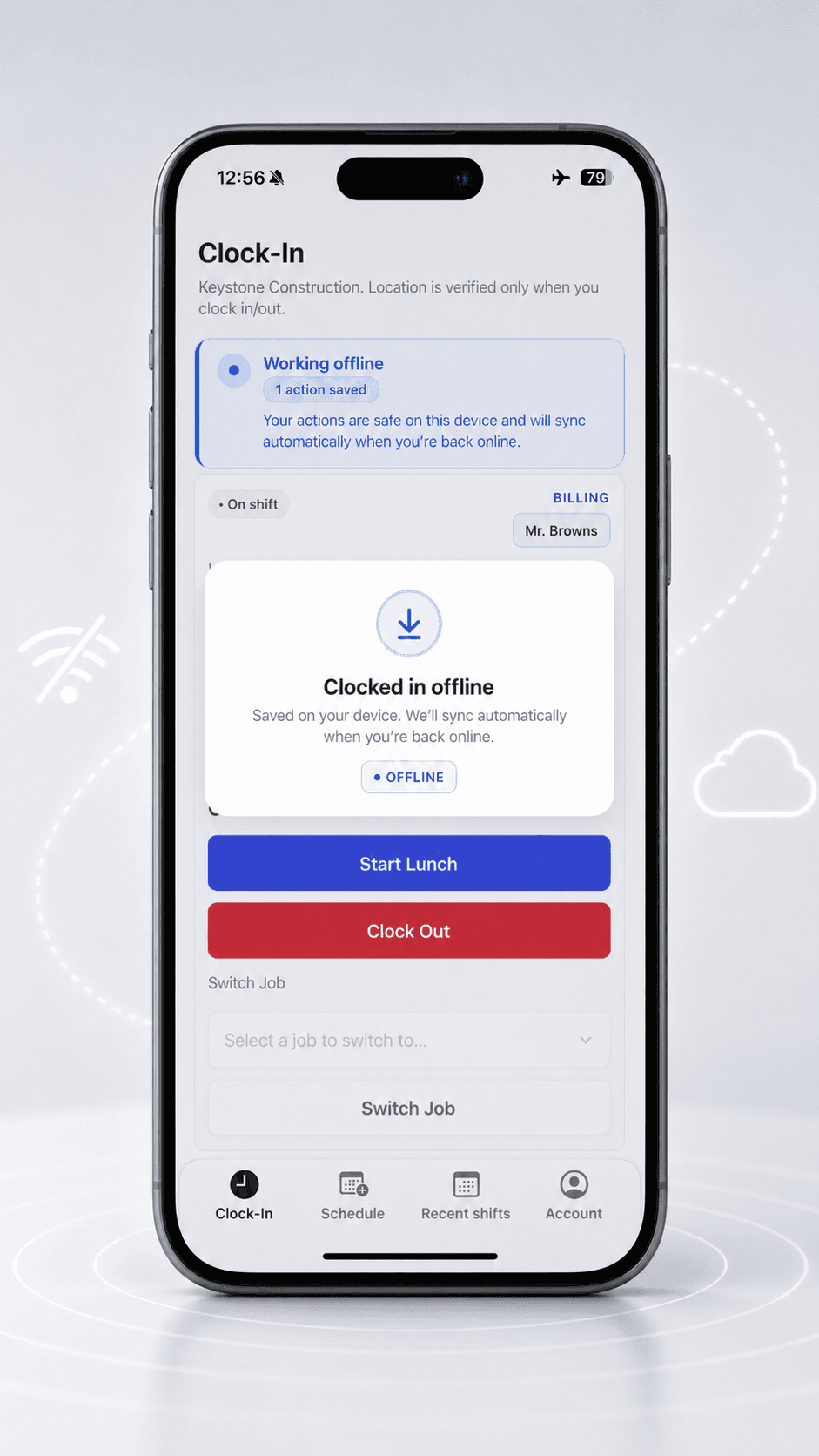
No cell service at the job site? The punch saves to the device with its timestamp and location, then syncs the moment the phone gets signal again. Crews aren't stuck. Records aren't lost.
Inside Crewtrace Geofencing
Set the boundary · 01
Enter an address to instantly generate a boundary, then pull the radius to customize the zone to match the exact job site.
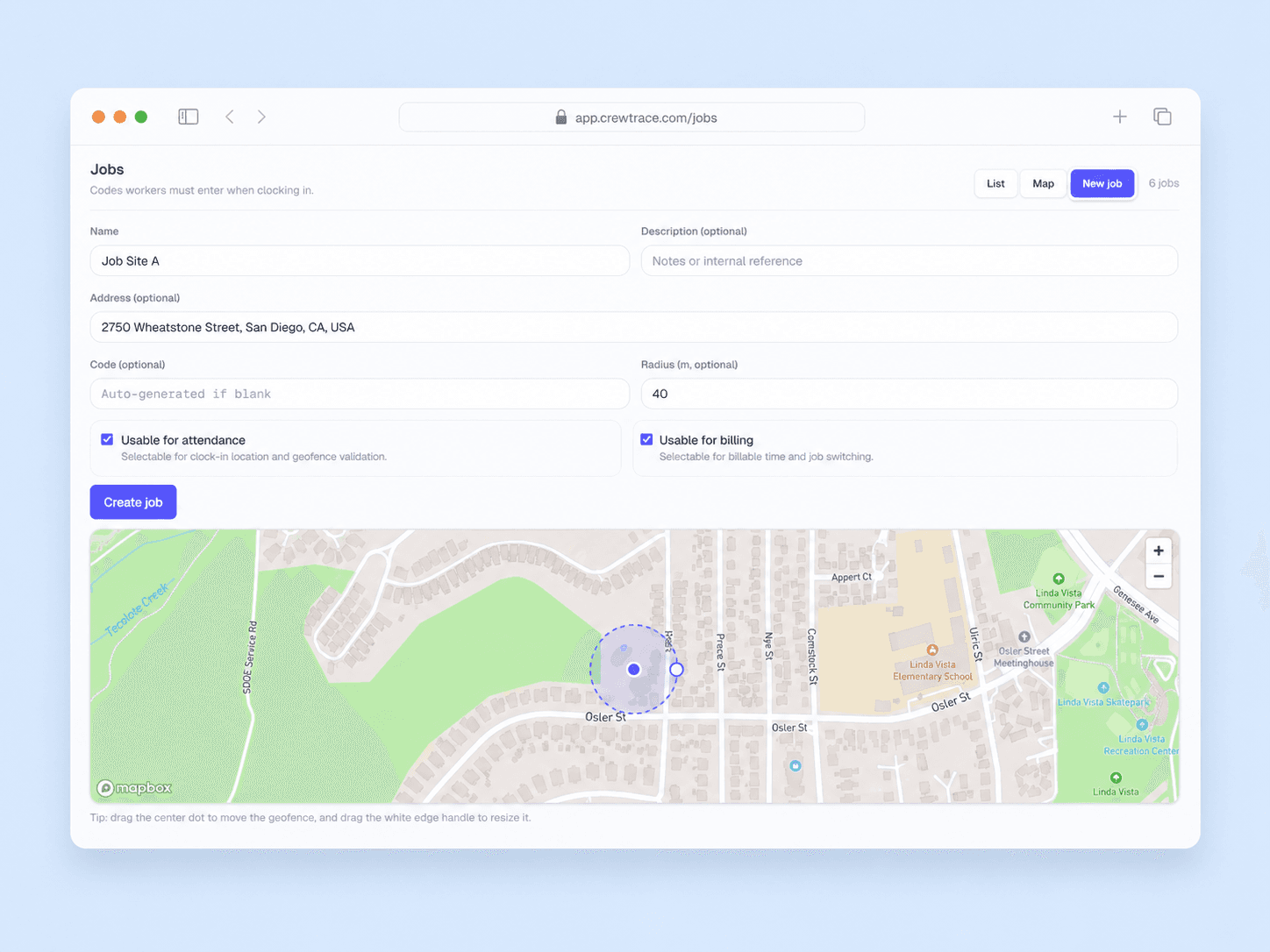
Enforce at clock-in · 02
The moment a worker taps clock in, Crewtrace checks their GPS against the assigned site's boundary and schedule window. Pass, flag, or block — based on your policy, not on somebody's memory three days later.
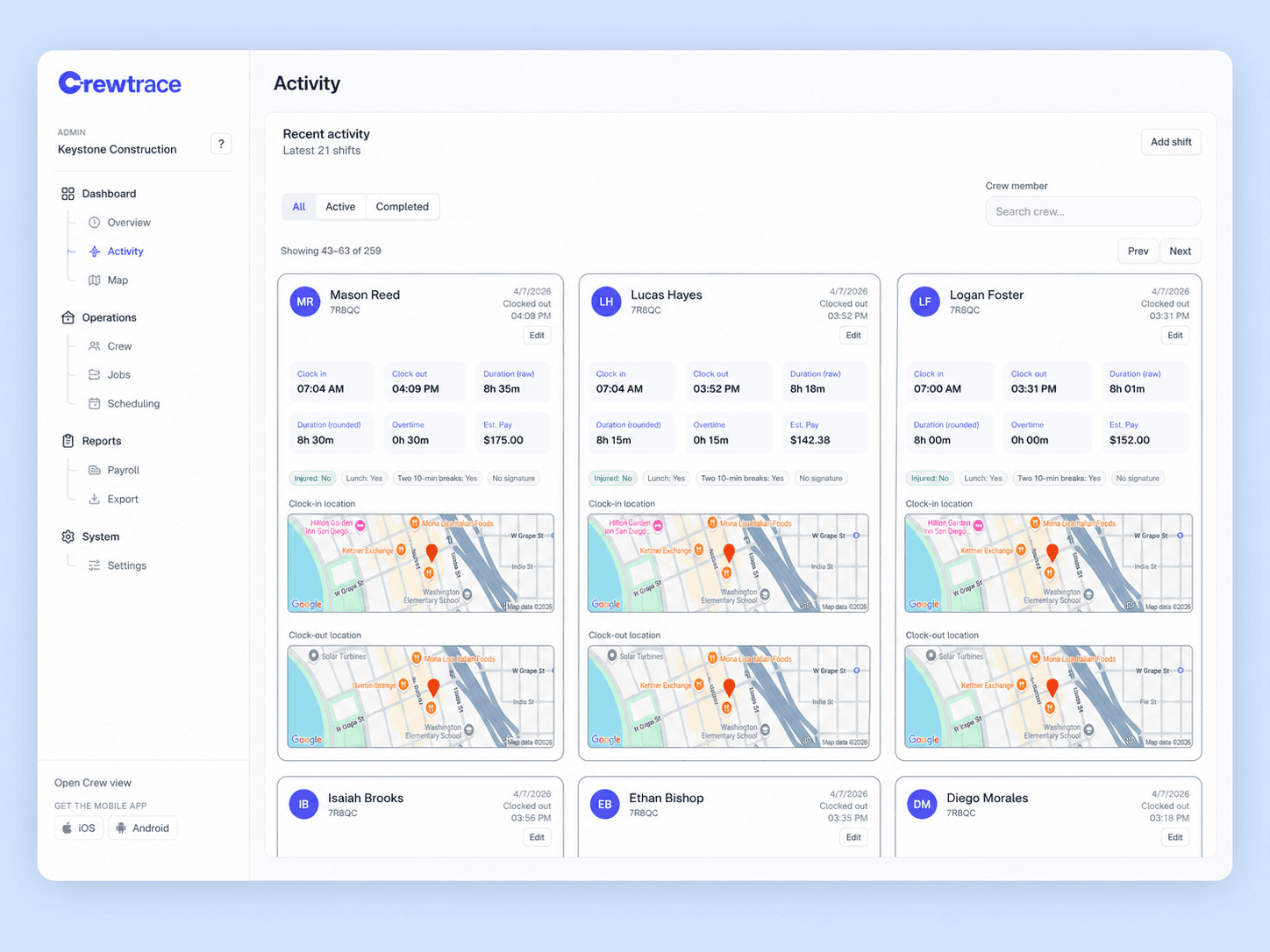
Review exceptions · 03
Supervisors see every flagged event in one place — off-site punches, missing-GPS punches, after-hours starts — each with a map, a timestamp, and an edit trail. Approve, reject, or correct from the same screen, and the record stays intact.
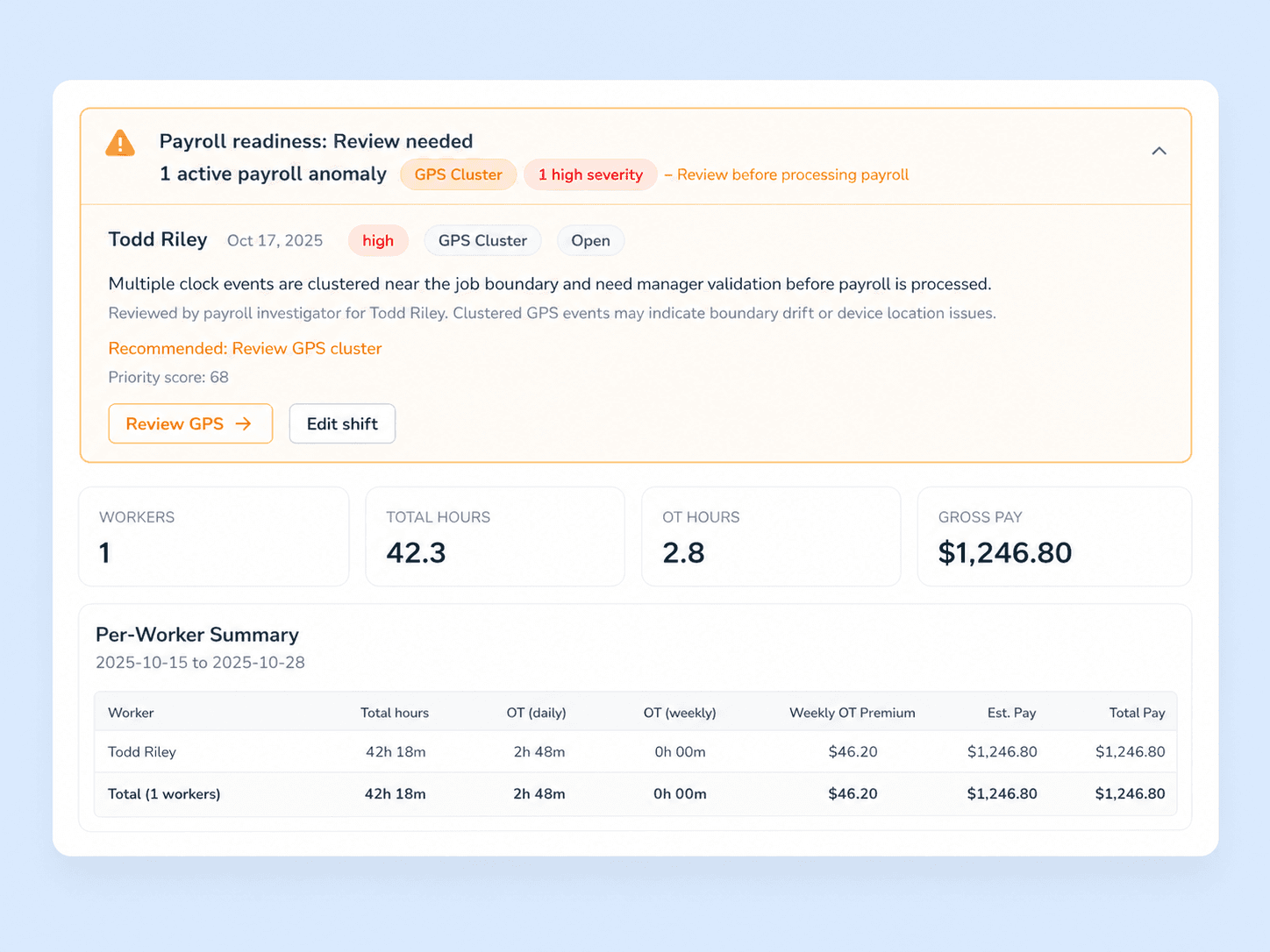
The rule builder
A residential service stop and a 40-acre commercial pour can't share one geofence shape. Crewtrace gives you the rule primitives to set a boundary every site actually deserves.
 Rule 01
Enter an address to instantly generate a boundary, then pull the radius to customize the zone to match the exact job site. Perfect for residential service routes and commercial properties.
 Rule 02
Tie each geofence to its shift window. Before 6am? After 9pm? Flagged automatically.
Per-site enforcement
Start soft on a new site, tighten as crews learn the rule. Every site carries its own enforcement mode.
Hard block
Outside the fence? The clock-in never happens. Best for tight residential service routes.
Warn + record
Event goes through with a visible warning to the worker and an exception on the supervisor queue.
Log only
Don't block anything. Just record location on every punch so you have proof if a dispute shows up later.
Multi-site command
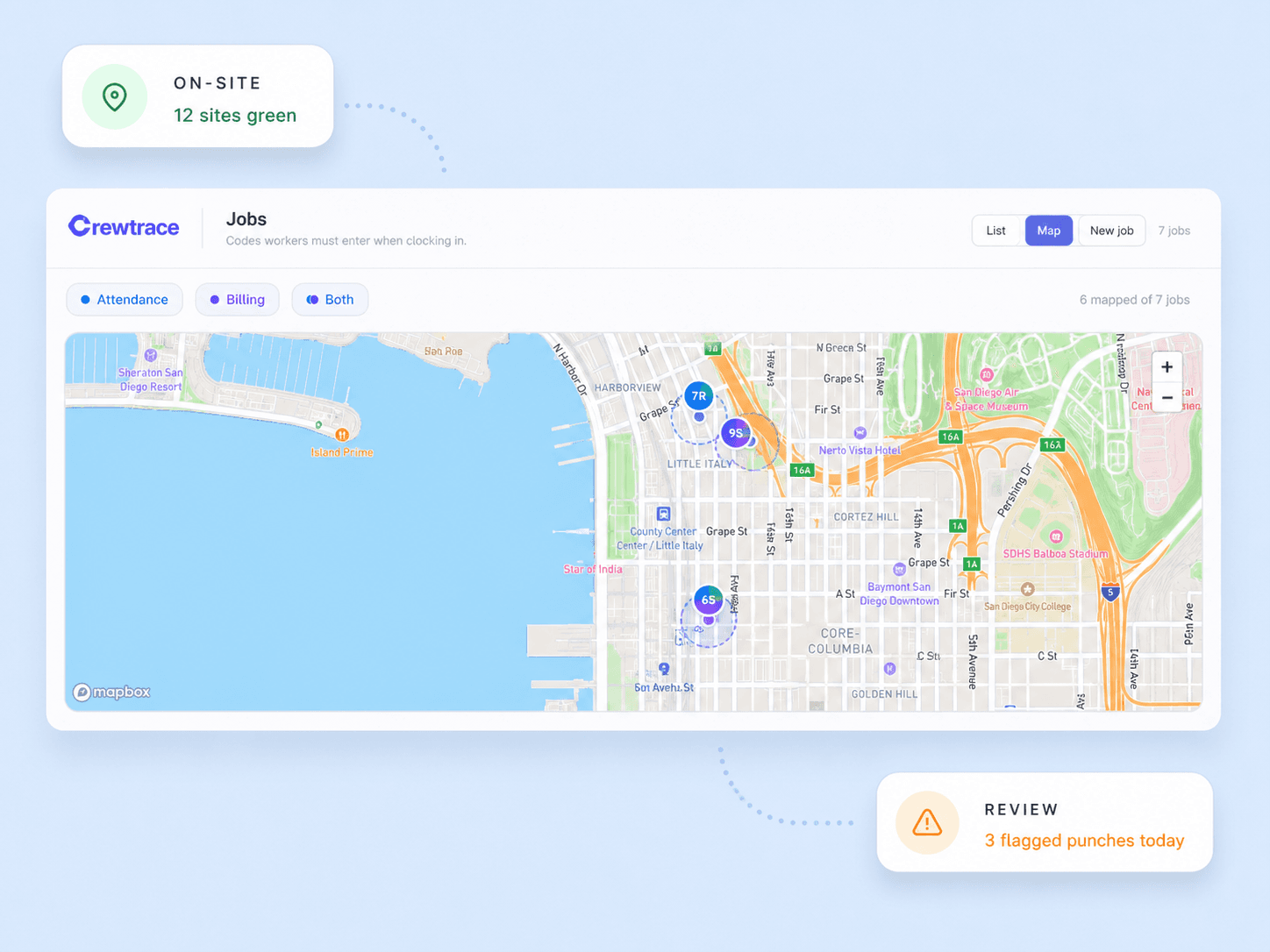
Geofencing stops working when it scales to 40 open jobs. Crewtrace is built for the multi-site week — a live map of every active boundary, color-coded by status, with exceptions surfaced to the top.
Open clock-in vs. Geofenced
Week one
Open GPS clock-in
Week two
Geofenced on Crewtrace
Where clock-ins happen
Wherever the worker's standing when they tap
Where clock-ins happen
Only inside the approved site boundary
Off-site punches
Recorded and paid like any other hour
Off-site punches
Blocked, warned, or flagged per your policy
Edge cases
Noticed only if someone complains
Edge cases
Queued for supervisor review automatically
Per-site rules
One handbook rule for 40 different jobs
Per-site rules
Custom boundary, shape, and window per site
Audit trail
GPS? Maybe. Policy decision? Verbal.
Audit trail
Rule, event, and decision stored together
Dozens of off-site punches you never see
Every punch checked against the rule, not the handbook.
Built for the trades
Multi-property route days with seasonal crews
Per-property geofences stop the 6:45 clock-in from the gas station before coffee.
See landscaping workflowPour days where the crew is at the site well before dispatch arrives
Boundary-based punches prove on-site arrival without supervisor phone calls.
See concrete workflowSunrise starts across rotating residential addresses
Address-based geofences tied to the day's ticket, no manual site setup.
See roofing workflowPhased jobs where billable hours live or die on the site record
One verified time record per worker, per address, defensible on invoice.
See waterproofing workflowService techs hitting 6–10 stops a day
Each ticket gets its own geofence — clocked hours match dispatched stops.
See plumbing workflowMid-day reassignments across a live service board
Geofences follow the assignment, so an edited ticket edits the clock-in rule too.
See hvac workflowWhat changes on day one
4
Enforcement modes from log-only to hard-block
100%
Clock events checked against the assigned site's geofence
10–30 ft
Typical boundary accuracy on active job sites
1
Central queue for every exception across every site
Answers to common questions about geofencing time tracking, boundary accuracy, enforcement modes, and how geofencing connects to payroll.
You draw a virtual boundary around each job site on a map. When a worker tries to clock in, Crewtrace checks whether their phone's GPS falls inside that boundary. If they are outside the zone, the clock-in is blocked or flagged for supervisor review. This prevents off-site punches without requiring any extra steps from the worker.
Yes. Each active project gets its own geofence with a custom boundary shape and radius. If you are running multiple sites, workers are validated against whichever site they are assigned to that day.
Crewtrace logs the GPS confidence level with each event. If a clock-in lands in a gray zone — technically inside but near the boundary — the event is recorded with a proximity flag so supervisors can review it. You can also adjust the geofence radius to account for parking areas or staging zones.
GPS time tracking records where someone clocked in. Geofencing adds an enforcement layer: it validates whether that location is within an approved work zone before the clock-in is accepted. Think of GPS as the proof and geofencing as the rule.
Yes. Workers can clock out of one site and clock in at the next. Crewtrace validates each event against the geofence for the assigned location, so multi-site days still produce clean, site-level time records.